RESOURCES
Fleet Maintenance Work Order Excel Template
Managing repair requests shouldn't mean juggling paperwork. Replace scattered forms with one structured work order system that keeps every service job documented, costed, and signed off.
Managing repair requests shouldn't mean juggling paperwork. Replace scattered forms with one structured work order system that keeps every service job documented, costed, and signed off.
What makes work order tracking essential?
What makes work order tracking essential?
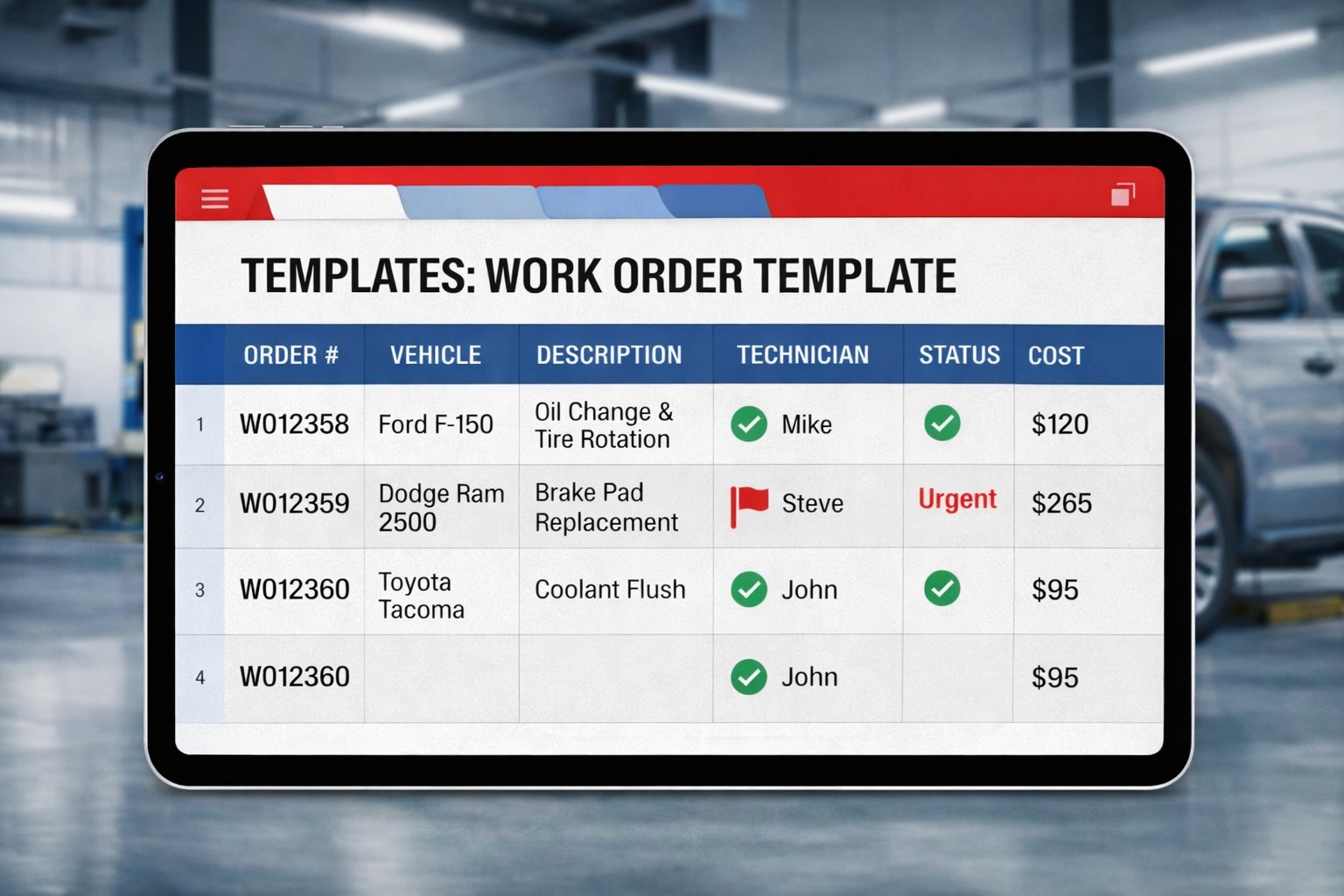
A structured work order process controls repair costs, prevents service jobs from slipping through the cracks, and builds an audit-ready record for every vehicle. Beyond operational efficiency, documented work orders protect your business when warranty claims, insurance reviews, or compliance audits arise.
What's the best way to manage fleet work orders?
What's the best way to manage fleet work orders?
Dedicated fleet maintenance software gives you the most complete picture — automated alerts, real-time status updates, and searchable service history. If you're still evaluating options or starting with a spreadsheet workflow, this free Excel template is the right place to begin.
Get Free Fleet Maintenance Work Order Template
Getting started with your work order template
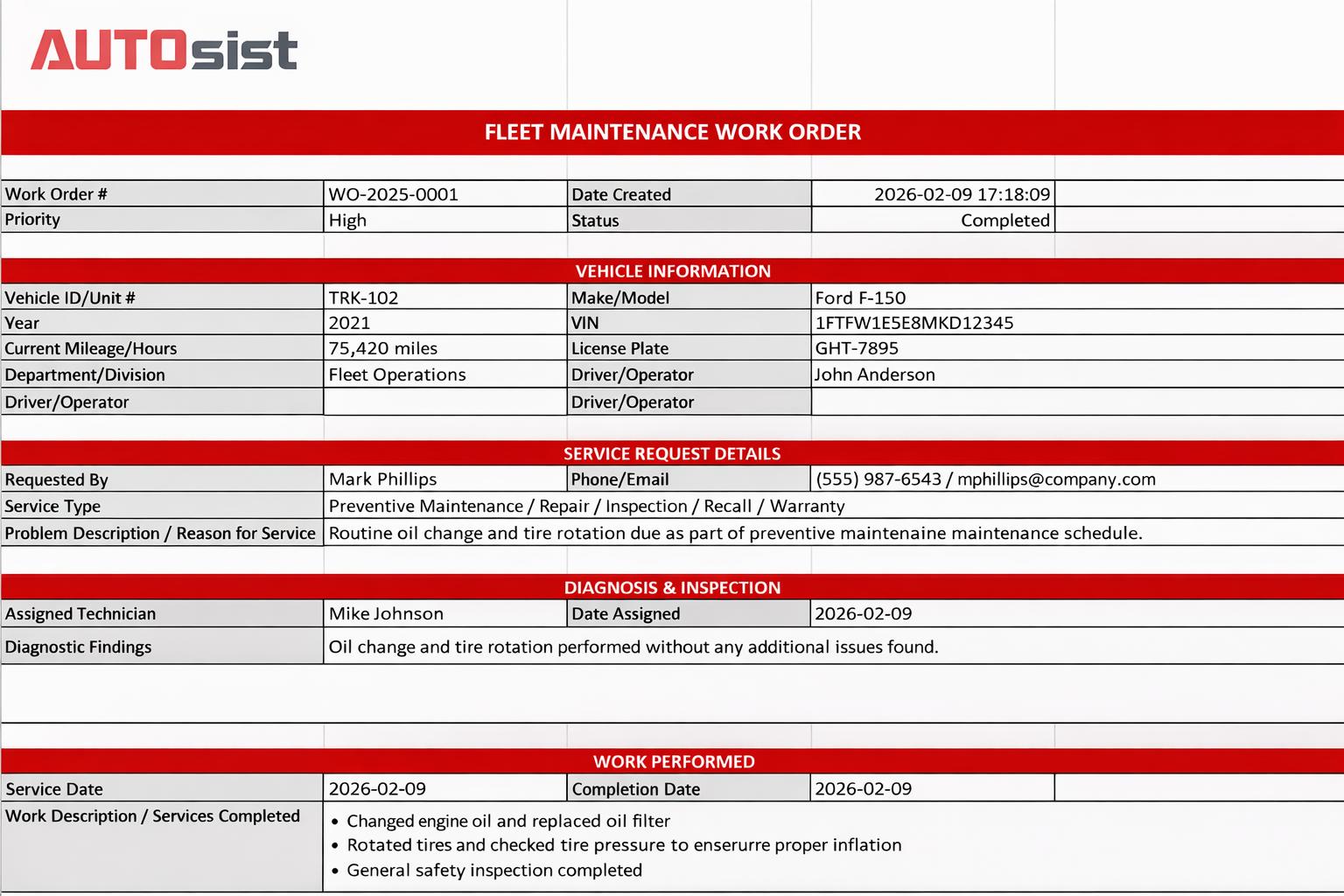
This Excel workbook streamlines service request entry, parts and labor tracking, and cost calculations — all organized in one print-ready document. Each section maps to a real step in the repair workflow, so your team can start using it the same day you download it.
This Excel workbook streamlines service request entry, parts and labor tracking, and cost calculations — all organized in one print-ready document. Each section maps to a real step in the repair workflow, so your team can start using it the same day you download it.
Want to see it in action? We've got you covered with a step-by-step walkthrough.
Want to see it in action? We've got you covered with a step-by-step walkthrough.
What you can track with this template
Using this free fleet maintenance work order template, you can document and monitor data including:
Service requests & repair details
Capture every incoming repair job — service type, problem description, requester contact, and priority level — so no request goes unaddressed.
Parts & materials cost tracking
Log every part used per repair with quantities and unit prices. Line totals calculate automatically.
Labor hours & technician assignment
Record which technicians handle each job, hours worked, and labor rate for accurate repair costing.
Post-service inspection & sign-off
Verify quality with a structured checklist before the vehicle returns to service — complete with technician signature and date.

Comprehensive Work Order Management
Identify and manage every work order from creation through close-out: unique numbering, date tracking, and priority assignment in one header block.
-
Auto-formatted work order number (e.g. WO-2025-0001)
-
Date created field with timestamp
-
Priority designation: High, Medium, or Low
-
Status field: Open, In Progress, Completed, On Hold
-
Consistent format across all team members
-
Print-ready layout for shop floor use
Capture complete vehicle identification so every work order ties directly to the correct asset in your fleet.
-
Vehicle ID / Unit number
-
Make, model, and year
-
VIN and license plate
-
Current mileage or hour meter reading
-
Department or division assignment
-
Driver or operator on record
Document every incoming repair request with full context so technicians know exactly what's needed before they touch the vehicle.
-
Requester name and contact info (phone / email)
-
Service type: Preventive Maintenance, Repair, Inspection, Recall, or Warranty
-
Problem description with multi-line entry area
-
Reason for service documentation
-
Date and urgency context
Record technician findings before work begins to support accurate estimates and transparent repair decisions.
-
Assigned technician name
-
Date assigned field
-
Diagnostic findings area with multi-line space
-
Root cause documentation
-
Recommended repair notes
Log the full scope of completed repairs with start and end dates so you have a verifiable record of every service event.
-
Service start date and completion date
-
Work description with multi-line text entry
-
Services completed documentation
-
Follow-up recommendation notes
-
Space for warranty or recall reference
Track every part used in a repair — with quantities and pricing — so cost records are always accurate and inventory deductions are clear.
-
Part number identification
-
Part description field
-
Quantity used
-
Unit price entry
-
Automatic line total calculation
-
Multiple line items supported
Capture technician labor in detail so each work order reflects the true cost of the repair from start to finish.
-
Technician name per row
-
Hours worked entry
-
Labor rate per hour
-
Automatic total labor cost calculation
-
Multiple technician rows supported
Review the full financial picture for every work order with automatic totals that pull directly from parts and labor entries.
-
Parts total (auto-calculated)
-
Labor total (auto-calculated)
-
Shop supplies line item
-
Tax field
-
Grand total cost — SUM formula built in
Verify quality before the vehicle returns to service with a structured checklist and technician sign-off section.
-
Test drive completed
-
All fluids checked
-
Tire pressure verified
-
Warning lights confirmed clear
-
Brakes tested and no leaks observed
-
Safety equipment verified and vehicle cleaned
-
Technician signature and date fields
Ready to move beyond manual work orders?
Still chasing down paper forms? Can't locate a service record when you need it most? Fleet maintenance software takes over the entire workflow — from automated service alerts and digital work orders to complete cost analytics — so nothing slips through. With mobile access, your technicians can open jobs, log parts, and close out work orders from anywhere, on any device.
Hear from our customers

"This platform cuts my daily administrative work by over an hour each evening when I'm updating our records. Using the system as designed has transformed our fleet operations!"
"This platform cuts my daily administrative work by over an hour each evening when I'm updating our records. Using the system as designed has transformed our fleet operations!"
Tommy Pennington
CIO/CTO, MDR Construction

"The interface is incredibly intuitive. Even though I don't consider myself particularly tech-savvy, the onboarding gave me everything I needed to confidently train my entire team."
"The interface is incredibly intuitive. Even though I don't consider myself particularly tech-savvy, the onboarding gave me everything I needed to confidently train my entire team."
Paul Loudat
Safety Specialist, Kings Oil Tools

"We needed a solution that consolidated all our fleet information in one place for better decision-making and strategic planning. This platform delivered exactly that."
"We needed a solution that consolidated all our fleet information in one place for better decision-making and strategic planning. This platform delivered exactly that."
Joanna G.
Office Admin, Universal CommOne