Miya Bholat
Apr 24, 2026
How to Turn Disconnected Fleet Tasks into a Single Workflow?
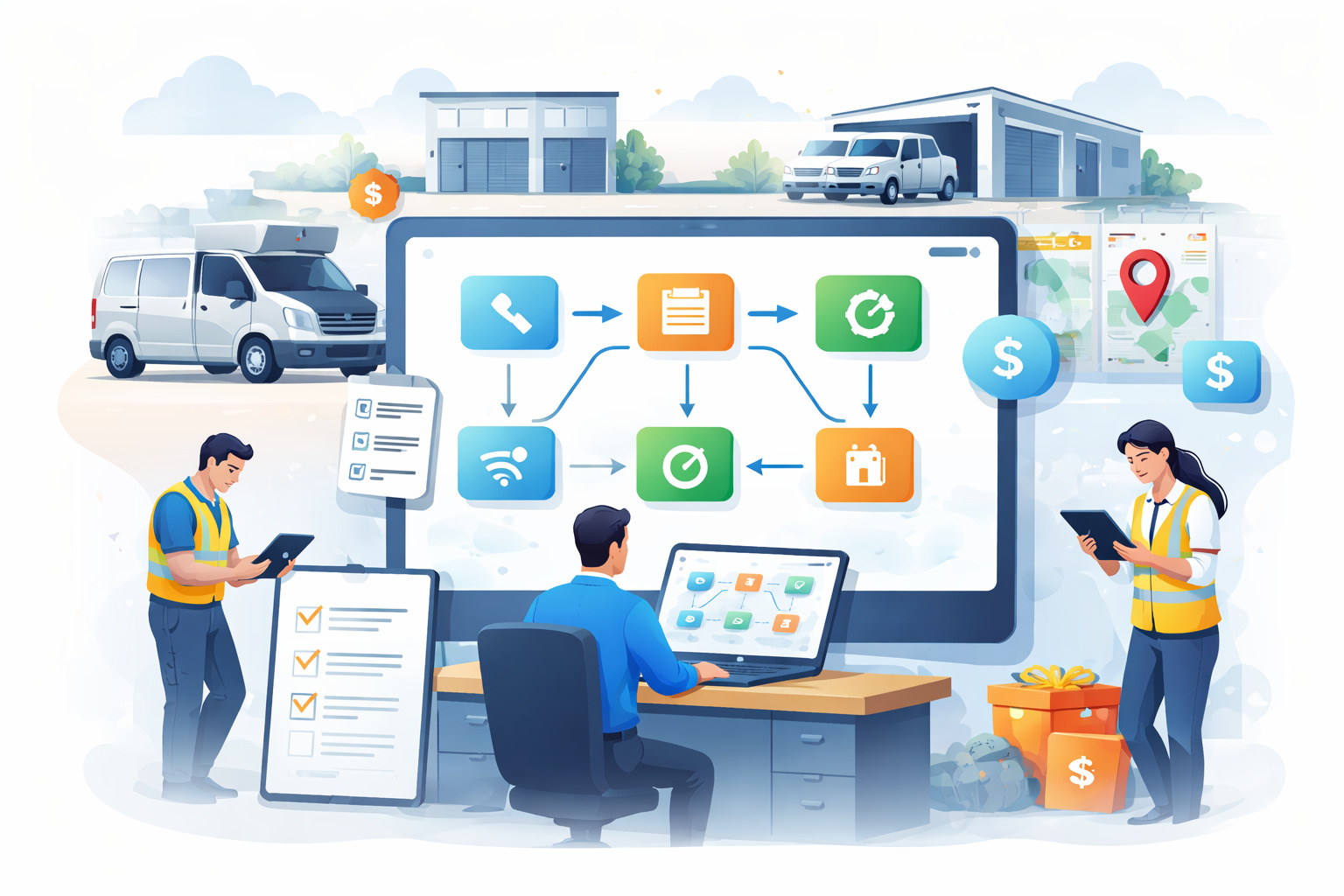
A vehicle is due for service but the reminder sits in an email thread. A driver reports an issue through a text message. A work order is created later in a spreadsheet. Fuel logs live in another file entirely.
None of it is wrong. It just is not connected.
This is how most fleets operate day to day. Tasks exist. Data exists. People are doing their jobs. But there is no single place where everything comes together.
That gap is what turns routine operations into reactive firefighting.
This is exactly why more teams are moving toward a connected system like fleet management software where every task feeds into a single workflow instead of existing in isolation.
Key Takeaways
- Disconnected fleet tasks create hidden inefficiencies
Switching between tools wastes hours each week and increases the risk of missed actions. - A unified fleet workflow connects tasks automatically
Inspections maintenance and work orders flow into each other without manual handoffs. - Most fleet problems come from process gaps not effort
Teams are working hard but systems are not connected which causes breakdowns. - You can start small and still see results quickly
Fixing one high friction workflow often creates immediate operational improvements. - Integrated fleet management software enables real visibility
When everything is connected decisions become faster more accurate and proactive.
Why Fleet Operations Break Down Into Silos
Fleet operations are naturally complex. Maintenance inspections fuel tracking driver communication and compliance are often handled by different people using different tools.
As fleets grow this fragmentation becomes normal.
You may see setups like:
- Maintenance tracked in spreadsheets
- Inspections handled through paper forms or mobile messages
- Fuel logs stored separately
- Work orders created manually after issues are reported
- Driver communication happening through calls or messaging apps
Each system works on its own but none of them talk to each other.
Growth makes this worse because more vehicles means more data more people and more moving parts.
The Hidden Cost of Switching Between Systems
Every time a fleet manager switches between systems there is a small delay. It seems minor in isolation but it compounds quickly.
If a manager switches tools 15 times a day and loses just 2 minutes each time that is 30 minutes daily. Over a 5 day week that becomes 2.5 hours. Over a year that is more than 120 hours lost.
And that is just time.
Errors also increase when data has to be manually copied between systems. This is one reason many fleets struggle until they move away from spreadsheets vs fleet management software and adopt a more connected approach.
How Miscommunication Between Teams Compounds the Problem
When systems are disconnected people become the bridge between them.
Drivers report issues. Managers interpret them. Mechanics act on them.
But without a shared system:
- Issues get lost or delayed
- Duplicate work orders are created
- Maintenance is performed later than it should be
- Decisions become reactive instead of planned
This is often why fleets experience the same operational breakdowns discussed in why fleet management systems break in operations.
What a Unified Fleet Workflow Actually Looks Like
A unified workflow does not mean everything is complicated. It means everything is connected.
Instead of tasks living in separate places they flow into each other automatically.
From Inspection to Work Order Without Manual Hand Offs
In a connected workflow the process is simple and automatic.
- A driver completes a pre trip inspection using a digital vehicle inspection app
- A defect is flagged immediately
- A work order is created inside the system using fleet maintenance work order software
- The mechanic is notified without a phone call
- The repair is completed and logged in the vehicle record
No one has to move information manually.
Maintenance Schedules That Trigger the Right Actions
Preventive maintenance becomes far more effective when it is connected.
Instead of relying on memory or calendar reminders:
- Maintenance intervals are defined using fleet preventive maintenance schedules
- Alerts trigger automatically when a vehicle is due
- Tasks are assigned instantly
- Vehicle status updates in real time
This shift from reactive to proactive is what many fleets miss when they struggle with disconnected processes.
Fuel Costs and Compliance in the Same View
When data is unified you stop piecing together information.
A connected system allows you to:
- Track fuel usage through fleet fuel management software
- Monitor repair costs alongside maintenance history
- Store compliance documents in a vehicle document management system
- Analyze everything in a single fleet reports dashboard
This level of visibility is what enables better decision making.
The 5 Fleet Tasks That Benefit Most from Integration
Some tasks create the most friction when they are disconnected. These are the best places to focus first.
Here are the five highest impact areas.
-
Vehicle inspections
- Often done on paper or messaging apps
- Issues are not tracked consistently
- Integration ensures defects trigger immediate action
-
Preventive maintenance
- Missed schedules lead to breakdowns
- Manual tracking creates delays
- Integration ensures timely service and automatic reminders
-
Work orders
- Created manually after issues are reported
- Lack of visibility across teams
- Integration connects inspections directly to repairs
-
Fuel tracking
- Data stored separately from maintenance
- Hard to connect fuel usage with vehicle health
- Integration improves cost analysis and efficiency
-
Driver communication
- Messages scattered across calls and apps
- No centralized history
- Integration creates accountability and clear records
These are the same areas where fleets often see improvement after following guidance from how integrated fleet management software connects your entire operation.
Steps to Consolidate Your Fleet Workflow Without Starting Over
You do not need to rebuild your entire operation to create a connected workflow.
The key is to approach it step by step.
Start With Your Highest Friction Process
Identify where your team spends the most time or where errors happen most often.
This might be:
- Missed maintenance schedules
- Delayed work orders
- Inconsistent inspection reporting
Fixing just one of these areas can create immediate improvement.
Many fleets start by addressing issues highlighted in reduce fleet manager administrative workload.
Choose a Platform That Connects Not Just Stores
Not all tools are designed to connect workflows.
Look for systems that:
- Trigger actions automatically
- Provide real time updates
- Offer mobile access for drivers
- Allow role based access for teams
This is the difference between storing information and actually using it to drive operations.
Get Driver and Technician Buy In Early
Even the best system will fail if people do not use it.
To improve adoption:
- Keep tools simple and mobile friendly
- Train drivers and mechanics on real use cases
- Show how the system reduces their workload
This is often where fleets succeed after following insights from how autosist can simplify your fleet management.
How AUTOsist Connects Fleet Tasks in One Place
AUTOsist is built around the idea that fleet operations should function as a single connected workflow.
Instead of separate tools you get a unified system where tasks feed into each other.
- Inspections completed through the app automatically create work orders
- Maintenance schedules trigger reminders and assignments
- Fuel tracking integrates with vehicle performance data
- Driver activity is tracked and managed through fleet user driver management
- Location data and usage insights are available through gps tracking telematics
Everything connects in real time.
This is why many teams move away from manual systems after exploring problems fleet management software solves.
Real Results What Happens After You Unify Your Workflow
When fleet workflows are connected the impact is immediate and measurable.
Most fleets report:
- Reduced vehicle downtime because maintenance is proactive
- Lower administrative workload due to automation
- Fewer missed inspections or service events
- Better cost visibility across fuel maintenance and operations
For example a fleet with 50 vehicles that reduces just one breakdown per month can save thousands annually in repair and downtime costs.
More importantly managers gain clarity.
Instead of reacting to problems they can prevent them.
Frequently Asked Questions
-
What is a fleet workflow and why does it matter ?
A fleet workflow is the sequence of tasks that manage vehicles from inspection to maintenance to reporting. When connected it reduces errors saves time and improves decision making. -
How do I know if my fleet tasks are too disconnected ?
If you rely on multiple tools spreadsheets or manual communication to manage operations your workflow is likely fragmented. Missed tasks and delays are common signs. -
Can small fleets benefit from unified workflow software ?
Yes even small fleets see significant gains because they often rely heavily on manual processes. A connected system improves efficiency without requiring large teams. -
How long does it take to set up a connected fleet management system ?
Most platforms can be set up within days or weeks depending on fleet size. Starting with one process helps speed up adoption. -
What is the difference between fleet management software and spreadsheets ?
Spreadsheets store information but do not connect tasks. Fleet management software automates workflows and ensures tasks trigger actions across the system.