Miya Bholat
Feb 23, 2026
What Is Tool Tracking Software? Benefits, Features & Why Your Fleet Needs It
Key Takeaways
- Tool tracking software provides real-time visibility — it replaces spreadsheets with a centralized, live system.
- Untracked tools create hidden financial drains — replacement costs and downtime accumulate quickly.
- Compliance and safety risks decrease with automation — inspection reminders prevent missed certifications.
- Accountability reduces loss and misuse — assignment tracking changes employee behavior.
- Data-driven purchasing improves budgeting — accurate inventory prevents over- or under-ordering.
- Integration multiplies value — combining tool tracking with fleet and maintenance systems creates a unified operational view.
What Is Tool Tracking Software?
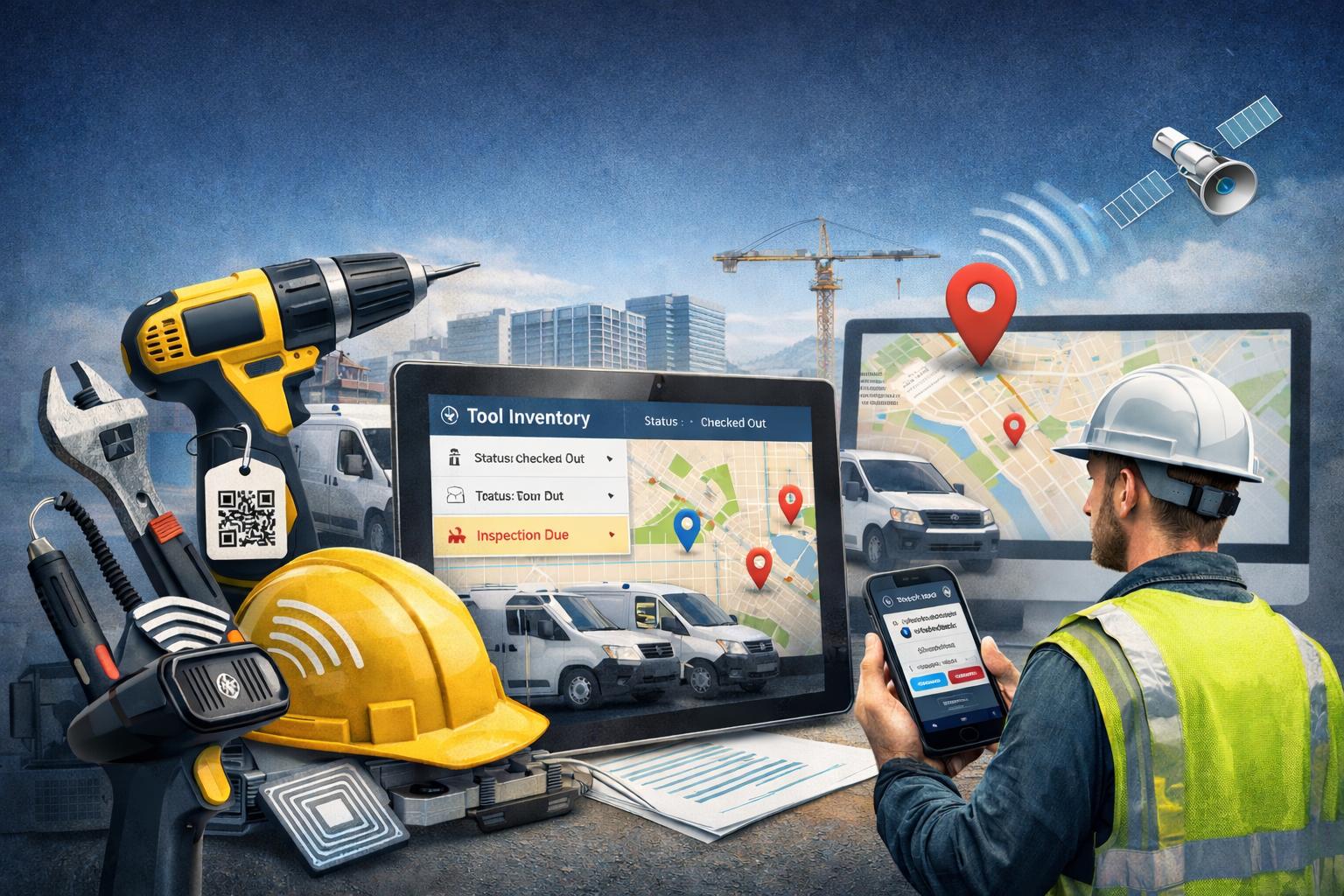
Tool tracking software is a digital system used to monitor, manage, and record the location, condition, assignment, and maintenance history of tools and small equipment. Instead of relying on spreadsheets, paper logs, or memory, organizations use a centralized platform that shows exactly where every tool is, who is responsible for it, and whether it is safe and ready to use.
At its core, tool tracking software provides real-time visibility and accountability. It doesn't just list inventory — it connects each asset to people, vehicles, job sites, and inspection records. Fleet managers, construction companies, field service businesses, utilities, municipalities, and maintenance teams all rely on these systems to prevent loss, reduce downtime, and keep operations running smoothly.
In practical terms, it turns scattered tools into organized, traceable assets instead of recurring expenses.
Why Tool Management Is a Bigger Problem Than Most Fleets Realize
Many fleets underestimate how much tool mismanagement costs them each year. Loss, theft, misplacement, and lack of inspection records quietly drain budgets and create operational friction. Industry estimates often suggest that companies lose 15–20% of their tools annually due to poor tracking and accountability. Even if the true number is lower, the financial and operational impact adds up quickly.
Untracked tools also introduce safety and compliance risks. A missing inspection record or an expired certification can lead to fines, liability exposure, or even job shutdowns. What feels like a "small inventory issue" frequently turns into a productivity and compliance problem.
The Hidden Cost of Lost and Untracked Tools
The financial impact of poor tool tracking goes far beyond simple replacement costs. Organizations experience ripple effects that affect multiple departments:
- Replacement purchases for lost or stolen tools
- Downtime while crews search for missing equipment
- Duplicate purchases because no one knows current inventory levels
- Liability risks when damaged or expired tools remain in circulation
Consider a simple example. If a crew of 10 employees each loses one $200 tool per quarter, that equals $8,000 per year in replacement costs alone — without factoring in lost productivity or project delays. Over several years, those small losses can rival the cost of a full software system many times over.
Compliance and Safety Risks
Many tools require regular inspections, calibrations, or certifications — torque wrenches, electrical testers, lifts, and specialized measuring devices are common examples. Without a structured tracking system, inspection intervals slip through the cracks. That exposes companies to OSHA violations, failed audits, and safety hazards.
Tool tracking software addresses this by automating reminders and logging inspection histories. Instead of relying on someone's memory or a paper checklist, the system alerts managers before compliance deadlines are missed. This shift alone can significantly reduce legal and safety risks.
How Does Tool Tracking Software Work?
Tool tracking software works by combining physical identification methods with digital data management. Each tool receives a unique identifier — typically a barcode, QR code, RFID tag, or GPS tracker — which connects it to a centralized database. When a tool is checked in or out, scanned, or assigned to a vehicle or job site, the system updates automatically.
The result is a live dashboard showing inventory levels, locations, assignments, inspection status, and maintenance history. Modern platforms often integrate with broader fleet or maintenance management systems, which means tools and vehicles can be tracked in one environment rather than separate silos. For example, platforms that already support equipment maintenance management allow organizations to extend tracking beyond vehicles and into handheld assets.
Tagging and Identification Methods
Different tools require different identification technologies. The right method depends on asset value, size, and workflow.
- Barcodes and QR codes — low-cost labels scanned manually with mobile devices
- RFID tags — faster, automated scanning without direct line-of-sight
- GPS trackers — ideal for larger mobile assets or high-value equipment
Smaller tools typically use QR or barcode labels because they are affordable and easy to implement. High-value or mobile equipment often justifies RFID or GPS for greater automation and security.
Check-In / Check-Out and Assignment Tracking
Check-in and check-out processes create accountability. Employees scan tools using a mobile app, scanner, or web portal when they take or return equipment. The system records who had the tool, when it left inventory, and where it is assigned.
Assignment tracking can link tools to:
- Individual employees
- Specific vehicles
- Job sites or projects
- Departments or teams
This digital chain of custody discourages misuse and dramatically reduces "nobody knows where it went" situations. It also supports performance reporting and loss investigations when necessary.
Key Features to Look for in Tool Tracking Software
When evaluating a solution, focus on features that improve visibility, accountability, and compliance — not just basic inventory lists. The right system should actively prevent problems, not simply record them after they occur.
Key features to prioritize include:
- Real-time location and assignment visibility — know exactly where each tool is and who is responsible
- Check-in / check-out with user accountability — tie tools to specific people, vehicles, or projects
- Maintenance and inspection scheduling — automated alerts to prevent compliance lapses
- Audit history and reporting — full logs of usage, inspections, and transfers
- Mobile access — field teams update records from anywhere without returning to an office
- Low inventory and loss alerts — notifications before shortages disrupt operations
- Integration with fleet or maintenance software — avoids fragmented data and duplicate systems
Organizations already using systems with strong parts inventory management or maintenance scheduling capabilities often benefit from tool tracking features within the same platform, reducing training and integration complexity.
The Benefits of Tool Tracking Software for Fleet Operations
Tool tracking is not just about preventing loss — it is about tightening the entire operational workflow. When tools become visible and accountable assets instead of hidden costs, fleets gain measurable efficiency, safety, and financial improvements.
Reduced Tool Loss and Replacement Costs
Accountability changes behavior. When employees know tools are assigned and traceable, loss and misuse rates decline. Many organizations discover that annual replacement spending drops significantly once digital tracking is implemented. In many cases, the software pays for itself within the first year purely through reduced purchasing waste.
Less Downtime, More Uptime
Searching for missing tools is one of the most underestimated productivity killers. Crews waste valuable minutes — sometimes hours — locating equipment. Tool tracking software eliminates that guesswork. Teams start jobs faster, finish tasks sooner, and experience fewer schedule disruptions. The productivity gain directly influences customer satisfaction and on-time delivery metrics.
Smarter Purchasing Decisions
Accurate inventory data reveals usage patterns. Managers can identify which tools receive heavy demand and which sit idle. Instead of over-ordering duplicates or under-ordering critical assets, procurement becomes data-driven. Historical trends support budgeting decisions and prevent unnecessary capital expenditures.
Stronger Compliance and Safety Records
Automated inspection reminders ensure that tools remain certified and safe to use. This protects workers from preventable accidents and helps organizations pass audits with confidence. When combined with broader systems such as digital vehicle inspection apps, fleets gain unified oversight of both tools and vehicles, strengthening overall compliance posture.
Who Benefits Most from Tool Tracking Software?
Tool tracking delivers value to any organization managing distributed equipment, but several sectors see especially strong returns:
- Fleet-based businesses with multiple vehicles and technicians
- Construction and heavy equipment companies
- Utilities and public works departments
- HVAC, plumbing, and electrical service providers
- Municipalities and government maintenance teams
These industries share common challenges: mobile crews, expensive equipment, compliance requirements, and high turnover risk for assets. Tool tracking brings structure to environments where equipment constantly moves.
Tool Tracking vs. Equipment Tracking: What's the Difference?
These terms are often used interchangeably, but they serve different scopes. Tool tracking focuses on smaller assets such as hand tools, power tools, meters, and calibration devices. Equipment tracking usually refers to larger assets like vehicles, trailers, and heavy machinery that often require GPS or telematics.
The most effective fleet management platforms combine both capabilities into a single system. This unified approach allows managers to see every asset — from a wrench to a work truck — in one dashboard rather than juggling multiple tools or disconnected spreadsheets.
How to Get Started with Tool Tracking Software
Starting does not have to be complex. The goal is progress, not perfection. A practical rollout plan helps teams adopt the system without disruption.
- Audit your current inventory — list every tool and asset before tagging
- Choose your tagging method — align technology with tool size, value, and budget
- Define your check-in/check-out process — clarify responsibility and accountability rules
- Train your team — keep instructions simple and focused on daily workflows
- Connect it to your maintenance platform — integrate with systems such as fleet maintenance software for maximum visibility
Organizations that already use maintenance scheduling or reporting systems often find integration straightforward because data flows into existing dashboards rather than creating a separate ecosystem.