AUTOsist Team
Feb 05, 2026
GPS Fleet Tracking for Small Business: A Practical Guide to Smarter Fleet Management
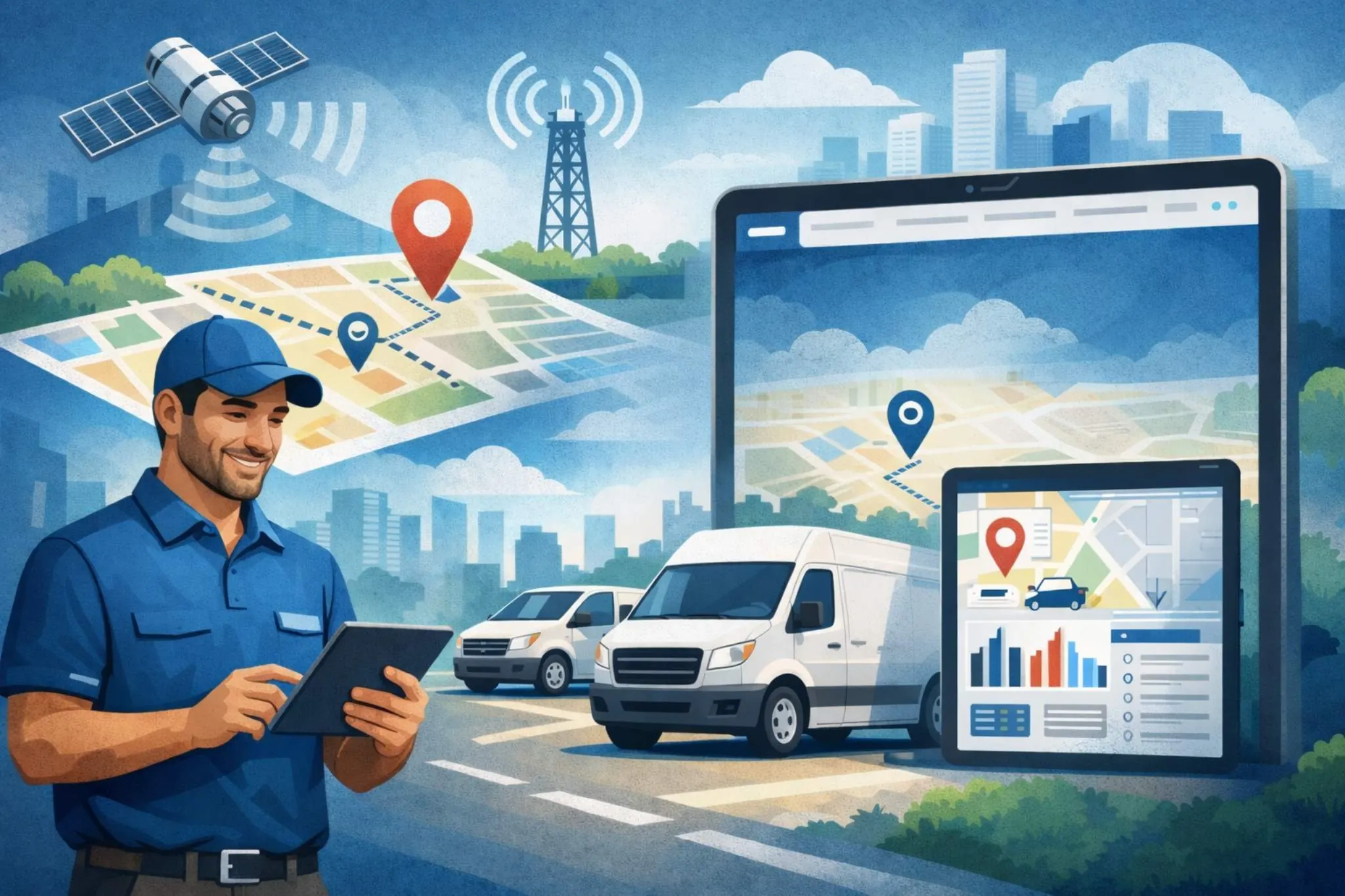
Small business fleet tracking is the process of using GPS, telematics, and fleet software to monitor company vehicles, driver activity, mileage, routes, and vehicle usage. For a small business, this usually means replacing manual check ins, paper mileage logs, and scattered vehicle records with one system that shows what is happening across the fleet.
A small fleet does not need dozens of vehicles before tracking becomes useful. Even a business with five vans, trucks, or service vehicles can benefit from knowing where vehicles are, how often they are used, which routes create delays, and when maintenance is coming due. A fleet tracking and telematics platform gives small businesses the visibility they need without relying on constant phone calls or manual updates.
Key Takeaways
- GPS tracking is no longer optional for small fleets – Even 5-vehicle operations see measurable financial and operational impact.
- Fuel savings alone can justify the investment – Many small fleets achieve 5–15% reductions within months.
- Real-time and historical data work together – Live visibility improves daily decisions, while reports reveal long-term efficiency opportunities.
- Driver safety and customer service both improve – Transparency builds trust internally and externally.
- Ease of use and integration matter most – Simple dashboards and maintenance software compatibility drive long-term success.
- Concerns are manageable with communication – Drivers often appreciate the protection and clarity GPS tracking provides.
- Combining GPS with fleet management software multiplies value – Integrated systems turn raw location data into actionable business intelligence.
Why GPS Fleet Tracking Matters for Small Business Fleets
Running a small fleet today is more competitive than ever. Whether you operate a plumbing company with 5 vans or a landscaping business with 8 trucks, customers expect fast response times, accurate ETAs, and professional service. Larger competitors often have dedicated dispatch teams and advanced tracking tools, which can make small operators feel outmatched. GPS fleet tracking levels the playing field by giving small businesses the same visibility and control once reserved for enterprise fleets.
For fleets with just 5–10 vehicles, the impact is surprisingly large. One inefficient route, one unauthorized fuel stop, or one delayed service call can noticeably affect monthly margins. GPS tracking shifts from being a "nice to have" to a business necessity because it directly influences profitability, customer satisfaction, and daily operational clarity. Small businesses don't have the cushion of waste—visibility is what keeps them competitive.
How GPS Fleet Tracking Works
At its core, GPS fleet tracking is simpler than most people expect. Each vehicle has a small GPS device installed. That device communicates with GPS satellites to determine precise location and then uses cellular networks to send that information to a cloud-based platform. The business owner or fleet manager logs into a dashboard—often from a computer or mobile phone—and sees where every vehicle is in real time.
The system collects data such as:
- Vehicle location and movement
- Speed and idling time
- Route paths and stops
- Engine status and mileage
- Trip start and end times
All of this information flows automatically without drivers needing to input anything manually. For non-technical small business owners, the important part is this: you open a dashboard and instantly know what your fleet is doing.
Real-Time Location Tracking
"Real-time" usually means location updates every 10–60 seconds, depending on the provider and settings. On the dashboard, you'll see vehicles moving on a map, not just static dots. For example, a delivery business covering a 30-mile radius can instantly confirm whether a driver is 5 minutes away or stuck in traffic.
In practice, real-time tracking allows owners to:
- Respond quickly to customer "Where is my driver?" calls
- Reassign nearby vehicles to urgent jobs
- Monitor excessive idling or speeding
- Ensure drivers stay within assigned territories
Historical Route Data and Reporting
Live tracking shows what's happening now, but historical data reveals patterns. Most systems store route history for 30–365 days, allowing businesses to review trips, stops, and total mileage. This is especially useful for identifying inefficient routing or verifying completed jobs.
Historical reporting helps answer questions like:
- Which routes consistently waste time or fuel?
- Are drivers taking unnecessary detours?
- How many miles did a vehicle truly travel this month?
- Are service areas balanced fairly among drivers?
Over time, these insights translate into smarter scheduling and cost control.
GPS Tracking vs Manual Mileage Tracking for Small Fleets
Many small businesses start with manual mileage logs because they seem simple. The problem is that manual tracking becomes harder to manage as soon as more drivers, vehicles, and routes are involved. Logs get skipped, odometer readings are estimated, and reports take time to clean up.
GPS tracking gives small fleets a more reliable way to capture vehicle activity automatically. It reduces driver paperwork, improves record accuracy, and gives managers better data for maintenance, reporting, and cost control.
| Factor | Manual Tracking | GPS Fleet Tracking |
|---|---|---|
| Mileage Accuracy | Depends on driver input | Captured automatically |
| Admin Work | High | Lower |
| Mixed Vehicle Support | Hard to standardize | Easier to manage |
| Maintenance Planning | Often based on estimates | Based on actual usage |
| Route Visibility | Limited | Real time and historical |
| Reporting | Manual and time consuming | Faster and more consistent |
For small fleets, the biggest advantage is not just convenience. Accurate mileage helps managers plan service at the right time, reduce missed maintenance, and avoid incomplete records. When mileage data connects with vehicle mileage tracking and fleet preventive maintenance schedules, small businesses can manage vehicles with far less guesswork.
Best Fleet Utilization Tracking Methods for Small Businesses
Fleet utilization tracking helps small businesses understand whether vehicles are being used efficiently. A vehicle that sits unused most of the week may be tying up money, insurance, registration costs, and maintenance resources. A vehicle that is used too heavily may wear out faster and need service more often.
Small businesses can track utilization in several ways, but each method has different strengths and limitations.
| Method | Best For | Limitation |
|---|---|---|
| Manual Logs | Very small fleets with simple routes | High admin work |
| GPS Tracking | Location, route, and trip visibility | Requires regular review |
| Telematics | Usage, mileage, idle time, and vehicle health | More setup than manual logs |
| Fleet Software | Centralized records and reporting | Works best when data stays updated |
GPS tracking gives small businesses a practical starting point because it shows where vehicles go, how often they move, and how long routes take. Telematics adds deeper insight by capturing mileage, idle time, driver activity, and vehicle health data. Fleet software brings that information together so managers can review trends instead of chasing updates across spreadsheets.
For example, a landscaping company may discover one truck handles most route miles while another sits idle. A plumbing company may find that certain technicians regularly travel farther than necessary between jobs. These patterns become easier to spot when location and usage data flows into fleet reports and dashboard tools.
Key Benefits of GPS Tracking for Small Business Fleets
Small businesses operate on tight margins, so benefits must be tangible—not theoretical. GPS tracking delivers outcomes you can measure within the first few months.
Fuel Cost Savings
Fuel is often one of the top three operating expenses. GPS tracking reduces waste by addressing:
- Unauthorized vehicle use after hours
- Excessive idling during breaks
- Inefficient routing and backtracking
- Speeding that lowers fuel efficiency
Many small fleets report 5–15% fuel savings within the first quarter. For a fleet spending $3,000 monthly on fuel, even a 10% reduction equals $3,600 saved per year—often covering the cost of the tracking system itself.
Improved Customer Service and Communication
Customers value accurate arrival times more than fast promises. GPS tracking allows dispatchers or owners to provide realistic ETAs instead of estimates. If a client calls asking where their technician is, you can answer instantly instead of making multiple phone calls.
Key customer-facing advantages include:
- Reliable ETAs and fewer missed windows
- Faster response to urgent service requests
- Proof of service completion
- Increased customer trust and professionalism
A small HVAC business, for example, can handle more daily appointments simply by optimizing routes and eliminating delays.
Enhanced Driver Safety and Accountability
Visibility naturally encourages safer behavior. Drivers tend to reduce speeding and aggressive driving when they know performance is monitored. GPS tracking also enables rapid response if a vehicle breaks down or an accident occurs.
Additional safety and accountability benefits include:
- Evidence against false accident claims
- Faster emergency assistance
- Driver coaching opportunities
- Reduced risky driving patterns
For small businesses without HR departments, this automated oversight is invaluable.
Reduced Insurance Costs
Some insurance providers offer discounts for fleets using GPS tracking because it lowers risk exposure. Even when discounts aren't immediate, documented driving behavior and route logs can support insurance claims or theft recovery. A single recovered vehicle can justify the entire investment.
Better Route Planning and Efficiency
GPS tracking replaces intuition with data. Instead of guessing which driver is closest, you see it instantly. Businesses often fit one or two extra jobs per day per vehicle simply by reducing dead miles and improving scheduling.
Efficiency improvements typically lead to:
- Lower overtime expenses
- More balanced workloads
- Shorter travel times
- Higher daily job capacity
What to Look for in a GPS Fleet Tracking System
Choosing the right system matters just as much as deciding to adopt one. Small businesses should focus on practicality over flashy features.
Ease of Use and Setup
If a system requires IT expertise, it becomes a burden. Look for plug-and-play devices, intuitive dashboards, and short learning curves. Installation should take minutes—not days—and drivers should not need complex training.
Mobile Access
Fleet owners are rarely at desks all day. Mobile apps allow real-time visibility from anywhere. Driver-facing apps can also simplify mileage logs and inspections, reducing paperwork and improving compliance.
Reporting and Analytics
Raw data is useless without interpretation. The best systems convert information into actionable reports. Useful small-fleet reports include:
- Fuel usage summaries
- Idle time breakdowns
- Trip and mileage logs
- Driver performance scorecards
These insights help owners make smarter operational decisions instead of reacting blindly.
Integration Capabilities
GPS tracking becomes significantly more powerful when it works alongside maintenance and operations software. Platforms like AUTOsist connect tracking data with service reminders, inspections, and cost analytics, creating a unified operational view. Integration eliminates duplicate data entry and keeps all fleet information in one place. For example, combining GPS data with maintenance records helps businesses prevent unexpected downtime while improving accountability.
Pricing Structure
Small fleets must watch hidden costs. Most providers charge per vehicle per month, often ranging from $15–$35. When evaluating ROI, consider:
- Hardware installation fees
- Contract lengths
- Data overage charges
- Support or training costs
A simple ROI calculation compares monthly subscription costs against fuel savings, reduced overtime, and improved job capacity.
Common Concerns About GPS Fleet Tracking (And the Reality)
Adoption hesitation is normal. Addressing concerns honestly helps business owners make informed decisions.
"My Drivers Will Hate Being Tracked"
Transparency is key. When introduced properly, GPS tracking protects drivers as much as it monitors them. It provides evidence against false complaints, simplifies mileage tracking, and reduces misunderstandings about routes. Communication strategies that work well include:
- Explaining safety and fairness benefits
- Sharing performance data openly
- Positioning tracking as operational—not personal—oversight
Most resistance fades once drivers see the advantages.
"Isn't This Just for Big Companies?"
In reality, GPS tracking often benefits small fleets more because each vehicle represents a larger percentage of revenue. Modern systems are affordable, scalable, and designed specifically for businesses without dedicated IT staff. A 6-vehicle plumbing fleet may experience a bigger operational shift than a 200-vehicle corporation.
Data Privacy and Security
Reputable providers use encryption and secure servers to protect information. Data typically includes vehicle movement, not personal driver details. Compliance requirements vary by region, but most small businesses find GPS tracking aligns with standard operational privacy practices.
Getting Started: Implementing GPS Tracking in Your Small Business
Rolling out GPS tracking doesn't have to disrupt operations. A structured approach keeps the transition smooth.
Start with these practical steps:
- Assess Fleet Needs – Identify pain points like fuel waste, late arrivals, or safety concerns.
- Choose the Right System – Prioritize ease of use and integration with tools such as maintenance platforms.
- Plan the Rollout – Install devices during non-peak hours to avoid downtime.
- Train Your Team – Demonstrate dashboards and clarify objectives.
- Measure 90-Day Results – Track fuel usage, idle time, and job completion rates.
Many businesses pair GPS tracking with maintenance platforms like Fleet Vehicle Maintenance: The Complete Guide to Maximizing Uptime and Minimizing Costs to connect location data with service scheduling. Others improve operational clarity using tools discussed in 6 Types of Fleet Management Reports and How to Automate Them. Businesses seeking broader strategy insights often reference How to Improve Fleet Management: 8 Proven Strategies That Work.
When GPS data integrates with a platform like AUTOsist, owners gain maintenance reminders, inspection logs, and performance dashboards in one ecosystem—reducing downtime while improving accountability.
What Changes After the First 90 Days of GPS Fleet Tracking?
The first few weeks of GPS fleet tracking are usually about setup, driver communication, and learning the system. After the first 90 days, the value becomes clearer because managers have enough data to identify patterns rather than just monitor daily activity.
Dispatchers often begin checking vehicle location before assigning new jobs. Managers start reviewing route history to find delays, missed efficiencies, or repeated travel problems. Owners can compare vehicle usage, idle time, and mileage trends to see where money may be wasted.
A practical 90 day adoption pattern often looks like this:
| Timeframe | What Usually Changes |
|---|---|
| First 30 Days | Vehicles are added, drivers are trained, and location visibility improves |
| Days 31 To 60 | Managers begin reviewing route history, mileage, and idle time |
| Days 61 To 90 | Teams start using data for maintenance, dispatching, and cost decisions |
| After 90 Days | Tracking becomes part of daily fleet management routines |
The biggest shift happens when teams stop treating GPS tracking as a map and start using it as a decision making tool. Dispatchers use it to assign work faster. Managers use it to review route performance. Maintenance teams use mileage data to plan service. Owners use reports to understand costs and vehicle utilization.
Small businesses can get more value from GPS tracking when vehicle activity connects with daily inspection records. For example, digital vehicle inspections help teams document issues before or after a route, giving managers more context when reviewing mileage, route history, or vehicle usage patterns.
Tracking data also becomes more useful when it connects to vehicle service history records. Instead of only knowing where a vehicle went, managers can review how that vehicle has performed over time, what repairs were completed, and whether recurring issues are starting to appear.
When maintenance action is needed, small businesses can use fleet maintenance work order software to turn tracking insights into assigned repair tasks. This creates a more complete fleet management process where GPS visibility supports inspections, maintenance history, and actual service work instead of sitting alone in a tracking dashboard.
Frequently Asked Questions
- What is small business fleet tracking?
Small business fleet tracking uses GPS, telematics, and fleet software to monitor company vehicles, routes, mileage, driver activity, and vehicle usage. It helps owners and managers replace manual updates with more accurate visibility into daily fleet operations. - What is the best GPS fleet tracking system for a small business?
The best GPS fleet tracking system for a small business is one that is easy to use, affordable to scale, and connected to the fleet workflows the business already needs. Small businesses should look for real time location tracking, mileage records, reporting, maintenance support, and mobile access. - How does GPS fleet tracking help small businesses reduce admin work?
GPS fleet tracking reduces admin work by automatically capturing vehicle location, route history, mileage, and usage data. This means drivers spend less time filling out logs, and managers spend less time collecting updates or correcting incomplete records. - Is GPS tracking better than manual mileage tracking for small fleets?
Yes, GPS tracking is usually better than manual mileage tracking because it captures mileage automatically and reduces human error. Manual logs can work for very small operations, but they become harder to manage as the number of vehicles, drivers, and routes grows. - Can GPS fleet tracking connect with maintenance and service history?
Yes, GPS fleet tracking can support maintenance planning by providing mileage and usage data that helps determine when service is due. When connected with maintenance schedules, service history records, and work orders, tracking data helps small businesses manage vehicles more proactively.