Miya Bholat
May 21, 2026
7 Field-to-Office Gaps That Make Construction Fleets Hard to Manage
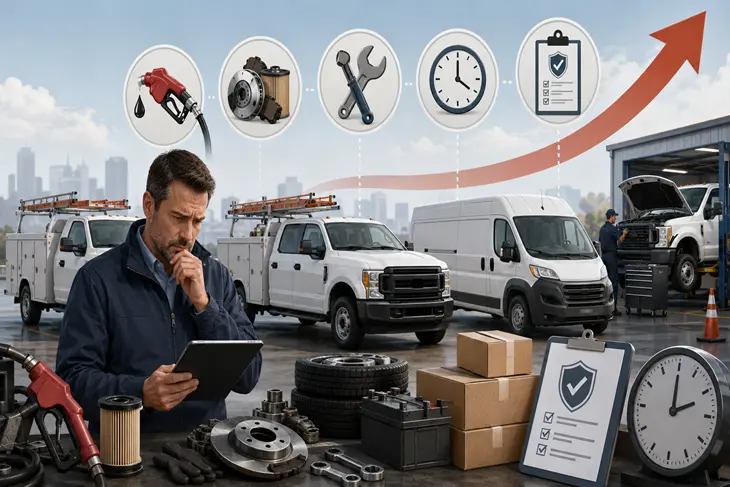
Construction fleet management becomes difficult when field updates, maintenance needs, inspection results, fuel data, and vehicle status do not reach the office fast enough to guide decisions. A connected fleet management software system helps teams turn job site updates into usable data, while a construction focused workflow like construction fleet management software gives managers the visibility they need to keep trucks, equipment, operators, and projects moving.
Key Takeaways
- Field updates often get trapped at the job site. A driver may report a problem verbally, but the office cannot act on it unless that update enters the fleet system.
- Paper inspection logs create delayed visibility. Forms may exist, but they do not help much if a fleet manager sees them days after a safety issue appears.
- Vehicle availability changes faster than office records. Construction fleets move between sites, vendors, jobs, and repairs, so outdated status data causes dispatch mistakes.
- Fuel tracking gaps hide waste. Without timely fuel data, managers may miss idling, misuse, theft, or unusual consumption patterns.
- Scattered service history breaks maintenance continuity. When records live across shops, sites, emails, and invoices, the next manager may not know what happened last.
- Operator knowledge disappears when it is not documented. Experienced drivers know equipment quirks, but that knowledge needs to live somewhere beyond memory.
- Preventive maintenance fails when reminders depend on people remembering. Automated alerts help teams schedule service before breakdowns interrupt a project.
Why Construction Fleets Break Down Between the Field and the Office
A dispatcher approves a truck for tomorrow morning because the spreadsheet says it is available. At the job site, the driver already told a foreman that the brakes feel soft, but that update never reached the fleet manager. The truck shows up late, gets pulled from service, and now the crew waits while the office scrambles for a replacement.
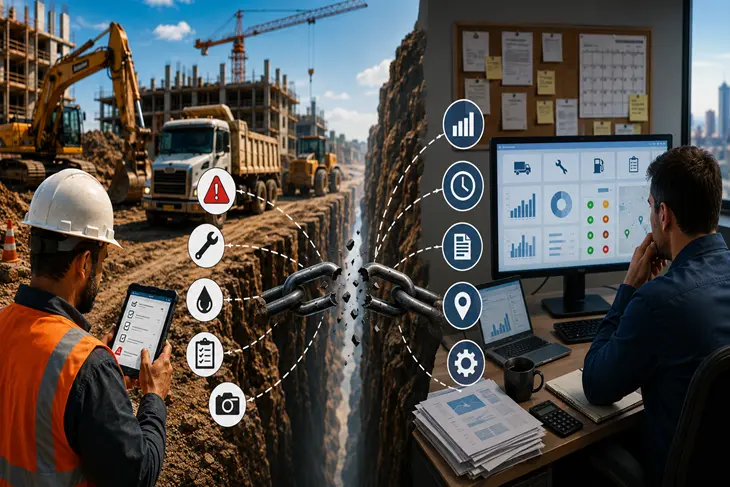
That is the real problem behind many construction fleet issues. The biggest breakdowns are not always mechanical. They happen when the field and office work from different versions of the truth. One team knows what happened on site. Another team controls scheduling, purchasing, maintenance, and compliance. When those two sides do not stay connected, small issues turn into expensive delays.
These seven gaps explain where construction fleets lose control most often and how teams can close them without rebuilding the entire operation.
Gap #1: Maintenance Requests That Never Leave the Job Site
Why Drivers Do Not Report Issues the Way You Think They Do
Fleet managers often assume drivers report problems through the correct channel every time. In reality, a driver may mention a warning light to a site supervisor, text a coworker, or bring it up at the end of a shift. The message may be real, but the workflow is not.
For example, a loader starts leaking hydraulic fluid on Monday morning. The operator tells the foreman, who plans to report it later. The loader gets used for two more shifts because the office never sees the issue. By the time maintenance hears about it, the leak has damaged nearby components and the machine needs more than a simple hose replacement.
A better workflow gives field teams one clear way to report issues from the job site. Fleet Management Software can support this through equipment maintenance management software that keeps equipment issues attached to the right asset instead of scattered across texts, calls, and paper notes.
The Cost of Delayed Reporting
Delayed reporting raises repair costs because damage keeps spreading while the asset stays in use. A small issue also becomes harder to schedule when it turns into an emergency.
Here is how a simple delay can grow:
- A $200 hose repair gets ignored for a week.
- The leak damages nearby components and labor time increases.
- The final repair reaches $1,400.
- The equipment misses a full workday.
- A crew loses billable productivity while waiting for a replacement.
That is why the reporting gap matters. It does not just create maintenance noise. It changes project cost, crew scheduling, and asset availability.
Gap #2: Paper Inspection Logs That Do Not Reach Fleet Managers
Pre trip and post trip inspections should catch small problems early. But in many construction fleets, drivers still fill out paper forms, leave them in the cab, hand them to a foreman, or drop them in a folder at the end of the week. The form technically exists, but the fleet manager cannot use it when a decision needs to happen.
This creates a false sense of compliance. The company may have inspection records, but the information sits in the wrong place at the wrong time. If a driver notes brake wear on Tuesday and the office sees it on Friday, the inspection process did not protect the fleet when it mattered most.
Digital inspections close that gap by sending inspection results directly to the people who need them. With a digital vehicle inspection app, drivers can submit inspection results from their phones, attach photos, and flag problems before the vehicle leaves the site. This gives managers a faster way to decide whether a vehicle should run, be inspected again, or be pulled from service.
Gap #3: No Visibility Into Which Vehicles Are Actually Available
The Dispatch Problem No One Talks About
Construction dispatch often fails because the office sees one status while the field sees another. The office thinks a dump truck is available. The site foreman knows it is waiting on a part. The mechanic knows it should not be used until a follow up repair happens. No one updated the central system.
That leads to wasted trips, project delays, and crews standing around. A truck may get assigned to haul material, only for the dispatcher to learn at 6:30 a.m. that it cannot leave the yard. When that happens, the issue is not just one unavailable vehicle. The problem is that availability was never visible enough to guide planning.
Real Time Fleet Status vs. End of Day Reports
End of day reporting tells managers what already went wrong. Real time status helps managers prevent the next mistake. That difference matters in construction because schedules change quickly and equipment demand shifts from site to site.
A strong fleet workflow should show managers:
- Which vehicles are available now.
- Which assets are down for maintenance.
- Which units are waiting on parts.
- Which vehicles are assigned to active jobs.
- Which units need inspection before use.
A connected dashboard can make those status changes easier to see. For teams struggling to understand daily fleet activity, fleet reports and dashboards can help turn asset data into decisions instead of after the fact summaries.
Gap #4: Fuel Usage That Gets Tracked on Spreadsheets or Not at All
Fuel tracking often becomes a patchwork in construction fleets. Some drivers keep receipts in gloveboxes. Some sites use handwritten fuel logs. Some managers wait for a monthly fuel card summary. By the time the office reviews the data, the waste has already happened.
This creates blind spots around idling, misuse, theft, and equipment inefficiency. Suppose one truck shows a 15 percent spike in fuel use. If the office catches that spike in two days, the manager can check routing, idling time, driver behavior, or mechanical issues. If no one sees it for six weeks, the added cost becomes normal.
A practical fuel review should help managers compare:
- Fuel use by vehicle.
- Fuel use by driver or operator.
- Fuel use by job site.
- Sudden spikes against recent history.
- Fuel cost trends over time.
A system with fleet fuel management software gives managers a better way to spot unusual fuel activity before it becomes a monthly budget surprise. For teams moving away from manual tracking, spreadsheets versus fleet management software is also a helpful comparison when deciding what to replace first.
Gap #5: Service History Scattered Across Multiple Sites and Vendors
Construction fleets rarely use one shop for everything. One truck gets an oil change near Site A. Another gets tires at a dealer near Site B. A third gets emergency work from a mobile mechanic. Each service event may have a record somewhere, but not always in the same place.
The result is no single service history. When a vehicle moves to a new job site or a new manager takes over, maintenance continuity breaks. The team may not know whether a repair was completed, what parts were replaced, or whether a recurring issue has already appeared three times this year.
Centralized records solve this by keeping every repair, invoice, note, and service event tied to the asset. With vehicle service history tracking, the office can see what happened across sites and vendors instead of hunting through emails, folders, and old invoices. This also helps when construction fleets operate across several locations, which is why teams managing multiple yards may benefit from reviewing how to run fleet operations across multiple locations.
Gap #6: Equipment Operator Knowledge That Never Gets Documented
Some of the most valuable fleet information lives in the heads of experienced operators. They know that one excavator always pulls left. They know Unit 12 needs more braking distance. They know a truck sounds different before it has a starter issue. That knowledge can prevent problems, but only if the next person can access it.
When an operator leaves, moves sites, or switches equipment, that history disappears. The next driver learns the hard way, often after a close call, a breakdown, or a complaint from the field.
Digital notes, driver comments, asset flags, and user accountability help preserve this knowledge. A fleet system with fleet user and driver management can help connect updates to the people and assets involved, making it easier to understand who reported what and when.
Gap #7: No Early Warning System for Upcoming PM Due Dates
Reactive vs. Preventive Maintenance in Construction
Construction fleets often fall into reactive maintenance because project pressure rewards keeping equipment running today. A truck may be due for service, but the site needs it. A skid steer may need attention, but pulling it from the job feels impossible. Eventually, the asset breaks down at the worst possible time.
Reactive maintenance waits for failure. Preventive maintenance plans service before failure. Construction fleets are especially vulnerable to reactive habits because projects create daily urgency. But skipping planned maintenance usually shifts the cost into downtime, emergency labor, expedited parts, and delayed work.
How Automated PM Reminders Change the Game
Automated reminders give managers time to plan instead of react. A fleet manager gets an alert two weeks before an oil change is due, checks the project schedule, and books service during a lighter work window. The vehicle stays productive and the job avoids a mid project breakdown.
A practical reminder workflow should include:
- Service due alerts by mileage, hours, or date.
- Advance notice before the asset becomes overdue.
- Visibility into upcoming PM across the fleet.
- A way to assign or create work orders.
- Records that update after service is completed.
Fleet Management Software supports this kind of workflow through fleet preventive maintenance schedules. Tools like these help managers move from memory based maintenance to planned service.
How to Close These Gaps Without Overhauling Your Entire Operation
Start With the Gaps That Cost You the Most
You do not need to fix every gap at once. Start with the one that caused the most downtime, budget overruns, safety concerns, or last minute scheduling changes in the last six months. For some fleets, that will be missed inspections. For others, it will be scattered maintenance records or unclear vehicle availability.
A simple priority review can start with these questions:
- Which assets caused the most downtime recently?
- Which issues reached the office too late?
- Which records took the longest to find?
- Which job delays involved fleet confusion?
- Which manual process creates the most follow up work?
This keeps the improvement process practical. It also helps managers avoid buying tools before they understand the workflow problem.
What a Connected Field to Office Workflow Actually Looks Like
A connected workflow is not complicated. A driver completes an inspection from a phone. The fleet manager sees a maintenance flag in real time. A work order gets created before the vehicle leaves the site. The asset status changes so dispatch does not assign it to the next job. Once the repair is complete, the service record updates in the same system.
That is the difference between chasing information and managing from it. The field does not need to send three texts and hope someone remembers. The office does not need to call five people before making a dispatch decision.
Tools That Bridge the Gap Without Requiring a Full IT Project
Most construction companies do not need a massive enterprise system. They need software that drivers, operators, mechanics, and managers will actually use. The best tools reduce friction instead of adding more admin work.
AUTOsist fits that need by connecting inspections, maintenance records, PM schedules, work orders, fuel data, and asset information in one place. For teams trying to connect daily fleet operations without a heavy rollout, the guide on integrated fleet management software offers a useful next step.
The Gaps Are Manageable If You Can See Them
Most construction fleet managers are not bad at their jobs. They are working with incomplete information. The field knows things the office does not see yet. The office makes decisions with records that may already be outdated.
The field to office gap is fundamentally an information problem. The solution is giving the right people access to the right data at the right time. Once managers can see the gaps clearly, they can start closing them one workflow at a time.
Frequently Asked Questions
-
Why do communication gaps happen so often in construction fleet management?
Construction fleets work across multiple job sites, supervisors, vendors, and operators, which makes information harder to centralize. When updates rely on verbal communication, paper forms, or spreadsheets, maintenance issues and vehicle status changes often reach the office too late. -
What is the biggest field to office problem construction fleets face?
One of the biggest problems is delayed visibility into vehicle condition and availability. The field may already know a truck or piece of equipment has a problem, but the office continues scheduling it because the update never entered the fleet system in real time. -
How can construction fleets improve communication between drivers and fleet managers?
Construction fleets improve communication by giving drivers simple digital tools for inspections, maintenance reporting, and vehicle updates. Mobile friendly reporting systems reduce delays and make it easier for fleet managers to act before issues turn into downtime. -
How much downtime can preventive maintenance reminders help prevent?
Preventive maintenance reminders help fleets catch overdue service before a breakdown happens on the job site. Even avoiding one unexpected equipment failure can save several hours of lost labor, project delays, emergency repair costs, and equipment rental expenses. -
What features should construction fleet management software include?
Construction fleet management software should include digital inspections, preventive maintenance scheduling, service history tracking, work orders, fuel tracking, and real time fleet visibility. These features help connect field activity with office decision making so managers can respond faster to problems.