 Miya Bholat
Aug 13, 2026
Fleet App Access Rules for Drivers and Mechanics

Fleet app access rules define what drivers and mechanics can see, submit, and edit inside fleet management software. The right setup gives drivers a simple path to inspections, defect reports, mileage, fuel logs, and alerts, while mechanics can focus on work orders, parts, and repair history. The wrong setup creates clutter, weak accountability, inaccurate records, and low adoption. A well configured fleet management software system connects each person with the information needed for their daily responsibilities.
For government and public works teams, individual access rules also support stronger record ownership and audit preparation. These principles apply to any operation that needs reliable government fleet management software across drivers, mechanics, supervisors, and managers.
Key Takeaways
- Access rules should match daily responsibilities. Drivers need fast reporting tools, while mechanics need repair and service functions.
- Too much access creates operational noise. Irrelevant screens slow users down and increase the risk of incorrect edits.
- Shared logins weaken accountability. Individual accounts show who submitted, approved, or changed a record.
- Mobile access matters for field teams. Drivers and technicians often work away from desks and need focused mobile workflows.
- Closed records require protection. Mechanics and drivers should not be able to quietly change completed inspections or approved repairs.
- Quarterly reviews prevent permission gaps. Update access after promotions, new hires, and seasonal staffing changes.
What Happens When Everyone Gets the Same Access
Many fleets give every user the same default access because it makes onboarding faster. That shortcut often creates problems that managers mistakenly blame on training or user attitude. Research from Heavy Vehicle Inspection in 2026 found that fleet apps requiring desktop access for core workflows can see 30 to 50 percent lower adoption than mobile first platforms. A cluttered mobile interface can create similar friction when users must search through features unrelated to their work.
Common consequences include:
- Drivers scrolling past work order and parts screens they never use.
- Mechanics editing inspection records outside their responsibility.
- Shared accounts making it impossible to identify the person behind a submission.
- Irrelevant screens making the app feel harder than paper forms.
These issues often appear alongside broader fleet management mistakes because access design affects data quality, accountability, and workflow speed.
What Drivers Actually Need Access To
Drivers need a short, clear path to complete daily reporting. Their access should support the information they create during vehicle use without exposing maintenance or financial details that belong to other teams.
A driver should typically have access to:
- Pre trip and post trip digital inspections, including defect questions.
- Defect reports with photo capture and notes.
- Trip logs, mileage entry, and vehicle assignment details.
- Fuel purchase logging and receipt uploads.
- Vehicle specific maintenance alerts that require driver attention.
Digital inspection forms should be quick to complete from a phone. A focused digital vehicle inspection app helps drivers submit consistent information without navigating unrelated workflows. Likewise, trip and mileage tracking gives drivers a clear place to record vehicle use.
What Drivers Should Not See
Drivers generally should not access the following information:
- Maintenance costs and vendor invoices.
- Technician work order queues.
- Parts inventory levels and purchasing details.
- Other drivers' inspection or performance records.
- User administration settings.
Restricting these areas does not signal distrust. It removes confusion, reduces accidental edits, and keeps the driver focused on safe and complete reporting. Fuel logging can remain available without exposing broader financial reports. That separation is easier when teams use dedicated fleet fuel management tools.
What Mechanics and Technicians Need Access To
Mechanics need information that helps them diagnose, repair, document, and close maintenance work. Their access should follow the vehicles and work orders assigned to them rather than expose every operational record in the system.

Market Reports World reported in 2026 that 62 percent of maintenance technicians used mobile inspection apps for real time repair reporting. OxMaint Fleet Management Trends reported that fleet technicians spend 68 percent of their time away from a desk. Their app view must therefore support field work, quick updates, and clear repair history.
Mechanics commonly need access to:
- Accepting, updating, and closing assigned work orders through fleet maintenance work order management.
- Parts requests, stock checks, and parts inventory tracking.
- Vehicle service records connected to the units they maintain.
- Photos, notes, labor details, and repair evidence.
A mechanic should be able to understand what happened to a vehicle before starting work. Searchable vehicle service history supports that decision without exposing unrelated driver information.
What Mechanics Should Not See
Mechanics should not normally have access to:
- Driver performance scores.
- Route and GPS data unrelated to maintenance.
- Compliance documents outside their assigned responsibilities.
- The ability to delete closed inspections.
- The ability to modify approved records without a controlled correction process.
This protects audit integrity. The person who performs a repair may need to update the work order, but should not be able to rewrite a completed inspection or alter another team's evidence without traceability.
Why Shared Logins Create Bigger Problems Than You Think
A shared login may appear convenient when several drivers or mechanics use the same device. It removes the evidence needed to understand who completed a task and creates one credential that can expose every record available to that account.
Shared logins create four major risks:
- You cannot prove who submitted an inspection or approved a repair.
- You cannot establish individual accountability during a DOT or FMCSA audit.
- You cannot measure adoption by role, location, or employee.
- One compromised password can expose data for every person using it.
Ponemon Institute and DTEX reported in 2026 that 55 percent of insider incidents were caused by negligent employees rather than malicious actors. Verizon's 2025 Data Breach Investigations Report attributed 30 percent of data breaches to insiders. Shared credentials amplify both risks because the system cannot separate one person's mistake from another person's action.
They also contribute to communication gaps described in how fleet updates get lost between teams.
How to Set Up Access Rules Without Overcomplicating It
Use a simple workflow that connects each role to the features used during a normal workday:
- List every role. Include drivers, mechanics, shop supervisors, fleet managers, administrators, and seasonal staff.
- Map daily tasks. Write down the records each role creates, reviews, approves, or closes.
- Configure the minimum useful access. Give users everything required for their work and remove unrelated functions.
- Protect completed records. Limit deletion and correction rights to supervisors or administrators.
- Review the setup quarterly. Recheck permissions after promotions, transfers, new hires, and seasonal staffing changes.
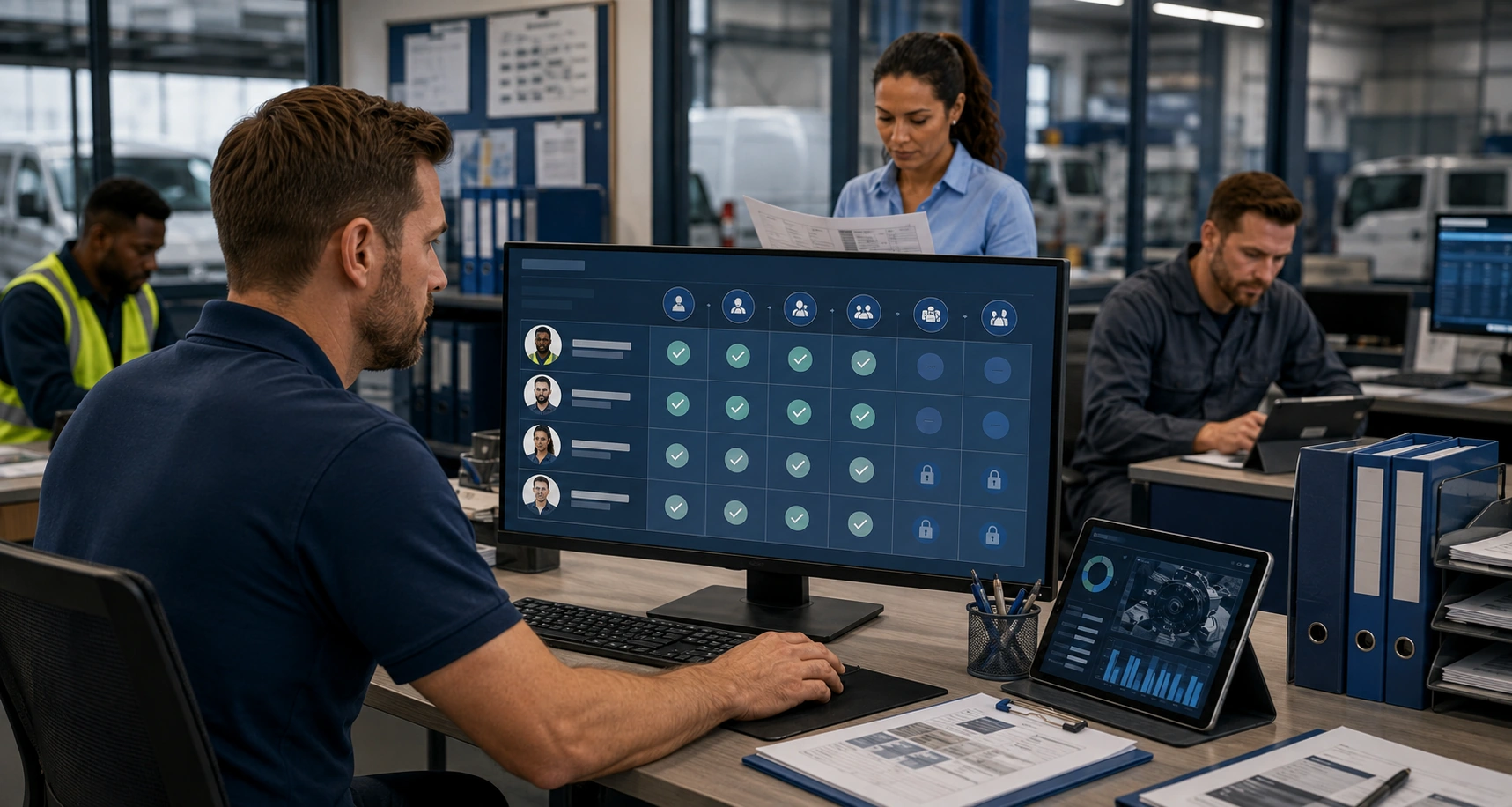
A sample permission matrix may look like this:
| Feature | Driver | Mechanic | Supervisor | Manager |
|---|---|---|---|---|
| Inspections | View | |||
| Work orders | View alerts | |||
| Parts inventory | ||||
| Fuel logs | View | |||
| Reports | Limited | Maintenance only | ||
| User administration | Limited |
Role based access controls make this process easier to maintain. In AUTOsist, role based user management helps teams assign access according to job responsibilities instead of giving every employee the same account permissions.
Handling Role Changes and Seasonal Staff
Update permissions when a mechanic becomes a shop supervisor or when temporary drivers join the operation.
Do not wait until the next quarterly review if the person's responsibilities change immediately.
Use this short process:
- Disable access that no longer matches the person's role.
- Add the new functions required for the updated position.
- Confirm that closed records remain protected.
- Review temporary accounts before the seasonal period ends.
Outdated permissions are one of the most common access control gaps because the employee remains active while the job changes around them.
The Compliance Case for Getting This Right
Access rules support DOT audit readiness, FMCSA record integrity, and internal accountability. When an auditor asks who completed an inspection, approved a repair, or signed off on a defect, individual accounts provide a traceable answer.
Digital workflows also make operational data more useful. A defect report has greater value when it connects a specific vehicle, driver, date, photo, and responsible reviewer. A shared account weakens that chain because the record may show activity without proving who performed it.
Permission design should therefore protect both access and evidence. Users need enough freedom to complete their work, but completed records should require controlled correction, documented approval, or supervisor review.
Signs Your Current Access Setup Needs Fixing
Your permission structure may need attention if you notice any of these conditions:
- Drivers say the app is too complicated for daily use.
- Mechanics edit records outside their assigned scope.
- Audit trails show the same administrator on every submission.
- Adoption remains low despite repeated training.
- Fuel or parts data is visible to users who do not manage those areas.
- You cannot produce usage reports for individual roles.
Treat these signs as workflow evidence rather than isolated user complaints. When access matches responsibility, employees usually find the right screen faster and submit cleaner information.
Frequently Asked Questions
-
What are fleet app access rules?
Fleet app access rules determine which screens, records, and actions each user can view, submit, edit, approve, or delete. -
What should drivers access in a fleet app?
Drivers usually need inspections, defect reporting, photos, mileage, fuel logs, vehicle assignments, and relevant maintenance alerts. -
What should mechanics access in a fleet app?
Mechanics usually need assigned work orders, parts information, service history, repair notes, photos, and completion controls. -
Why are shared fleet app logins risky?
Shared logins remove individual accountability, weaken audit trails, make adoption reporting inaccurate, and increase the impact of a compromised password. -
How often should fleet app permissions be reviewed?
Review permissions at least quarterly and update them immediately after promotions, transfers, new hires, or seasonal staffing changes.