Miya Bholat
May 19, 2026
Automated Fleet Reporting: What to Automate, Key Reports, and Software Features
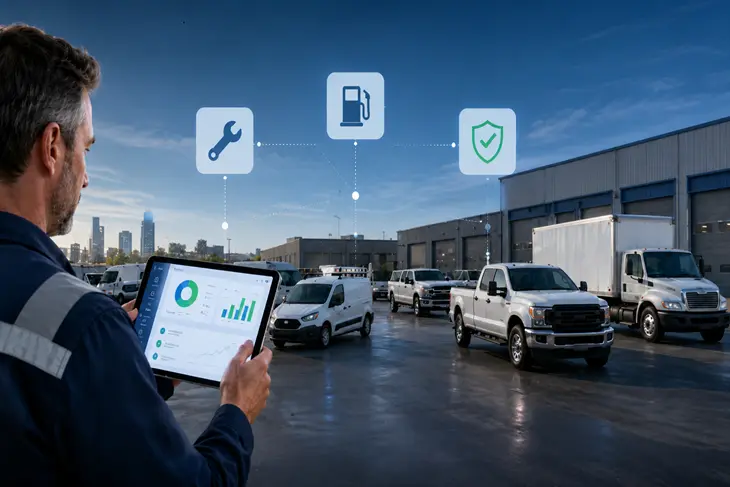
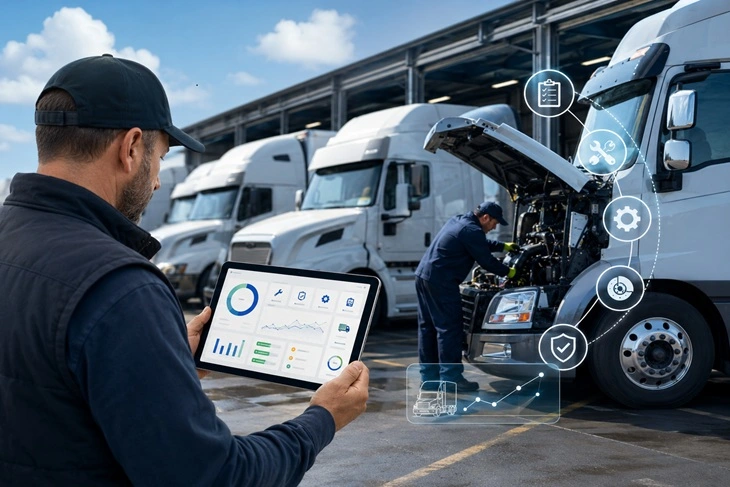
Automated fleet reporting is the process of using software to collect fleet data and turn it into useful reports without manually building spreadsheets or chasing records. With fleet management software for connected reporting, managers can track maintenance, fuel, inspections, drivers, utilization, documents, and costs in one place so the right information reaches the right people faster.
Key Takeaways
- Automated fleet reporting helps managers act faster
It turns daily fleet activity into reports that support maintenance, cost, safety, and compliance decisions. - The best reports are tied to clear decisions
Preventive maintenance, fuel, utilization, compliance, driver behavior, and total cost reports help managers reduce risk and control expenses. - Not every reporting task should be automated
Routine tracking should be automated, but accident reviews, budget planning, vendor decisions, and root cause analysis still need human judgment. - Clean data matters before automation
Vehicle records, service history, driver assignments, fuel entries, and inspection forms need to be accurate before reports can be trusted. - Good reporting software should be easy to customize
Managers should be able to adjust report frequency, filters, recipients, thresholds, and views without extra administrative work. - Reports only create ROI when teams act on them
A report that no one owns or reviews will not reduce costs, improve uptime, or prevent compliance issues.
Why Manual Fleet Reporting Is Costing You More Than You Think
Manual fleet reporting often feels manageable until the fleet grows. A few vehicles, a spreadsheet, and a shared folder may work at first. But once more drivers, assets, locations, vendors, and compliance tasks enter the picture, the process becomes fragile. One missed odometer update can throw off service schedules. One inspection form saved in the wrong place can create stress during an audit.
The hidden cost is not only the time spent creating reports. It is the delay between a problem happening and a manager seeing it. A vehicle may be overdue for maintenance, but the spreadsheet does not show it until someone updates the mileage. A fuel spike may be buried in receipts until the month closes. A repeated inspection defect may go unnoticed because the forms are scattered.
This is where teams begin to see why manual fleet management becomes too complex. If reporting depends on memory, manual entry, and repeated follow up, the fleet loses visibility before leadership realizes how much those gaps cost.
What Is Automated Fleet Reporting?
Automated fleet reporting uses software to gather information from vehicles, drivers, maintenance logs, fuel records, inspections, GPS data, and documents. The system then organizes that data into reports, dashboards, and alerts that update based on rules you choose.
This is different from spreadsheet tracking. A spreadsheet stores information, but it usually waits for someone to update it, check it, filter it, and send it. Automated reporting reduces that work by pulling from the records already stored in the system. A fleet reports dashboard for maintenance and cost visibility helps managers see what needs attention without rebuilding the same report every week.
It also helps solve a common issue in fleet reporting software missing efficiency issues. When data is disconnected, managers may miss the relationship between fuel waste, idle time, overdue service, and poor utilization. Connected reporting makes those patterns easier to see.
How Data Flows From Vehicle to Report
The flow starts when a vehicle, driver, or maintenance activity creates data. That may be an odometer update, inspection result, fuel entry, work order, GPS reading, service record, or uploaded document.
The software stores that information under the correct vehicle, asset, driver, or location. Then the reporting rules filter the data by date, cost, status, mileage, location, driver, or vehicle. The final report appears in a dashboard or gets delivered to the right person by email.
A simple reporting flow looks like this:
- Data enters from vehicles, drivers, inspections, fuel, maintenance, or GPS
- The system stores it under the right record
- Report rules filter the information
- The report is delivered to a manager or dashboard
- The manager reviews the issue and takes action
Real Time vs. Scheduled Reporting
Real time reporting shows what is happening now or close to now. Managers use it for urgent visibility, such as failed inspections, vehicle location, active maintenance needs, or unusual driver activity.
Scheduled reporting works better for recurring reviews. A manager may want a weekly maintenance report, monthly fuel cost report, or quarterly total cost report. Most fleets need both. Real time views help teams react quickly, while scheduled reports help managers monitor trends over time.
What Should You Actually Automate? And What to Do Manually
The best tasks to automate are repetitive, high volume reports that follow clear rules. If someone builds the same report every week from the same data, automation can usually save time and reduce errors.
Automation should not replace judgment. Software can show that one vehicle has recurring repair costs, but a manager still needs to decide whether the cause is age, driver behavior, route conditions, poor maintenance, or vendor quality.
High Priority Tasks to Automate
Start with reports that prevent avoidable cost and create fast operational value.
- Maintenance reminders and upcoming service reports
- Service history summaries by vehicle
- Fuel consumption and cost reports
- Compliance, inspection, and document reports
- Driver behavior and idle time summaries
- Vehicle utilization and downtime reports
Preventive maintenance is usually the best starting point. A system built around fleet preventive maintenance schedules helps teams see what is due, what is overdue, and what has already been completed.
What Still Needs a Human Eye
Some decisions need context that software cannot fully judge. Accident reviews, vendor negotiations, budget planning, and recurring issue analysis should use reporting data, but they should not be handled by automation alone.
For example, a report may show that one vendor costs more than another. A manager still needs to consider turnaround time, repair quality, warranty support, and parts availability before making a vendor decision.
Related Reporting and Automation Resources
Once you know which reporting tasks deserve automation, it helps to separate reports by purpose. Some reports support maintenance planning, while others help with fuel control, compliance, utilization, driver performance, or cost decisions. For a broader breakdown, review the main types of fleet management reports managers commonly use to run a more visible operation.
Reporting is only one part of the automation opportunity. Many fleets can also reduce manual work by automating reminders, inspections, maintenance tasks, document tracking, and recurring operational workflows. If your team is deciding where to start, this guide on fleet tasks you can automate can help prioritize the highest value areas first.
The 6 Fleet Reports Every Manager Should Have on Autopilot
The most useful automated reports are the ones managers actually use. These six reports cover the areas where poor visibility often becomes avoidable cost.
Preventive Maintenance Report
A preventive maintenance report shows which vehicles have service coming due, which are overdue, and which were recently completed. It usually uses mileage, engine hours, time, or a combination of triggers.
This report helps managers schedule work before small issues become breakdowns. When paired with vehicle service history tracking, it also helps confirm that past repairs were completed and documented properly.
Fuel Consumption & Cost Report
A fuel consumption and cost report breaks down fuel spend by vehicle, driver, location, route, or time period. It helps managers find unusual fuel use, inefficient vehicles, idle waste, and possible data entry issues.
For example, if a fleet spends 20,000 dollars per month on fuel and reporting helps reduce waste by 3 percent, that saves 600 dollars per month. A fleet fuel management software report makes those patterns easier to review by connecting fuel activity to specific vehicles.
Vehicle Utilization Report
A vehicle utilization report shows which assets are overused, underused, or sitting idle. This helps managers decide whether to rotate vehicles, move assets between locations, delay purchases, or retire unused units.
For industries with changing job sites and seasonal demand, such as construction fleet management, utilization reporting helps match vehicles and equipment to real workload.
Driver Behavior Report
A driver behavior report summarizes speeding, harsh braking, rapid acceleration, idle time, and sometimes camera events. The purpose is not to punish drivers. It is to identify coaching opportunities, reduce risk, and lower operating costs.
When behavior data connects with GPS tracking and telematics data, managers get better context around where and why issues happen.
Compliance & Inspection Report
A compliance and inspection report tracks failed inspections, missing records, expiring licenses, registrations, permits, and required documents. This helps reduce regulatory risk and last minute scrambling.
A digital vehicle inspection app helps drivers submit inspections from the field, while a vehicle document management system keeps records organized for audits.
Total Cost of Ownership Report
A total cost of ownership report combines fuel, maintenance, repairs, depreciation, downtime, parts, and other costs by vehicle. It helps managers make better repair or replacement decisions.
This report is especially useful when a vehicle looks affordable on paper but costs too much to keep running. It gives managers a fuller view before they approve another repair.
Software Features That Make Fleet Reporting Automation Possible
Automated reporting depends on software that collects clean data, organizes it properly, and delivers it in a format managers can use. A reporting tool should not only create charts. It should help the fleet act with fewer blind spots.
The most important features include:
- Scheduled report delivery by email or dashboard
- Custom report templates by role, vehicle, driver, location, or cost
- Role based access for managers, drivers, technicians, and leadership
- Integration with telematics, GPS, maintenance, fuel, and inspections
- Mobile access for field updates, photos, notes, and forms
- Alerts for maintenance, documents, inspections, and overdue tasks
Many managers ask which fleet reporting solutions provide the best integration with telematics and maintenance data for comprehensive insights. The strongest solutions connect GPS, service history, fuel, inspections, documents, users, and cost data inside one workflow. A resource on integrated fleet management software for connected operations can help teams understand what that looks like in practice.
Ease of use also matters. When comparing how various fleet reporting tools compare in terms of customization, real time data, and ease of use, test how quickly your team can create a report, adjust filters, schedule delivery, and explain the output to another manager.
How to Set Up Your First Automated Fleet Report Step by Step
Start with one report that solves a real problem. For many fleets, that means preventive maintenance, fuel cost, inspection status, or document compliance. Do not automate everything at once.
Before setup, decide what question the report should answer. For example, "Which vehicles need service this week?" or "Which vehicles have fuel costs above the fleet average?"
Follow these steps:
- Choose one report tied to maintenance, fuel, compliance, or utilization
- Confirm vehicle records, driver assignments, mileage, and service history
- Select the fields the report should include
- Set the frequency and recipients
- Review the first report for missing or incorrect data
- Adjust thresholds, filters, and ownership before expanding
The first report may reveal data problems. That is normal. Fix missing mileage, duplicate vehicles, incomplete service records, or incorrect assignments before depending on the output.
Common Mistakes Fleet Managers Make With Reporting Automation
The first mistake is automating before the data is clean. If the source records are wrong, the report will be wrong faster. Clean vehicle lists, accurate service schedules, correct driver assignments, and complete inspection records should come first.
The second mistake is creating too many reports. More reports do not always mean better visibility. If every manager receives too many updates, most reports get ignored. Each report should have a purpose, owner, and action.
The third mistake is ignoring trends. If a report flags the same overdue service every week and no one responds, the problem is not reporting. It is follow through.
To choose the best automating fleet reporting solution, look for a system that fits your fleet size, workflows, users, and data sources. A small fleet may need simple maintenance and fuel reports first. A larger operation may need user permissions, location based reporting, telematics integration, and leadership dashboards.
Measuring the ROI of Automated Fleet Reporting
The ROI of automated fleet reporting comes from time saved, costs avoided, and better decisions. Start with administrative time. If a manager spends five hours each week building reports and automation reduces that to one hour, the fleet saves 208 hours per year.
Then look at avoided costs. If preventive maintenance reporting prevents one major breakdown, the savings may include repair costs, towing, downtime, missed jobs, rental vehicles, and overtime. Fuel reporting can create savings too. A 3 percent reduction on 20,000 dollars in monthly fuel spend equals 600 dollars per month, or 7,200 dollars per year.
Compliance ROI is harder to calculate, but missing inspections, expired documents, and incomplete records can create serious risk. Automated reporting helps managers see problems before they become urgent.
The strongest ROI happens when reports lead to action. A maintenance report should trigger scheduling. A fuel report should trigger investigation. A utilization report should support right sizing. Automated reporting becomes valuable when it changes what the fleet does next.
Frequently Asked Questions
-
Can small fleets benefit from automated fleet reporting?
Yes. Even fleets with five to ten vehicles can save time and catch issues earlier with automated maintenance, fuel, inspection, and document reports. -
What is the first fleet report I should automate?
Start with the report tied to your biggest recurring problem. For many fleets, that is preventive maintenance, fuel cost, inspection status, or compliance documentation. -
How do I choose the best automated fleet reporting solution?
Choose software that matches your fleet size, data sources, and daily workflow. Look for customization, scheduled reports, real time visibility, maintenance tracking, inspection records, and simple user access. -
Which fleet reporting solutions provide the best integration with telematics and maintenance data?
The strongest solutions connect GPS, telematics, maintenance records, service history, inspections, fuel data, and documents in one system. This gives managers a more complete view of performance and cost. -
How do fleet reporting tools compare for customization, real time data, and ease of use?
Some tools focus on dashboards, while others focus on maintenance, GPS, or driver behavior. Compare how easily you can customize reports, view current data, schedule delivery, and train your team.