 Miya Bholat
Aug 31, 2026
Fleet Integration Readiness: A Pre-Sync Checklist

Fleet integration readiness means your vehicle records, driver assignments, baseline readings, access permissions, and operating responsibilities are accurate enough to support a dependable data sync. Before connecting telematics, GPS, fuel card, or ELD data to fleet management software, confirm that the source and receiving systems identify the same vehicles, drivers, and readings consistently.
This check matters especially when departments, locations, or garages maintain separate records. For example, teams using government fleet software may need to reconcile shared assets and departmental naming rules before allowing information to move automatically.
Key Takeaways
- Technical compatibility does not prove readiness. A connection can transfer data correctly while still creating inaccurate records.
- Vehicle identifiers require direct comparison. VINs, unit numbers, and device IDs must refer to the same active assets in every system.
- Driver assignments need verification. Orphaned drivers, expired credentials, and assignments to retired vehicles can corrupt incoming records.
- Baseline readings establish a control point. Verified mileage and engine hours help teams detect incorrect values during the pilot.
- One person must own the audit. IT, operations, and maintenance should contribute, but one accountable owner should approve or pause the sync.
- A small pilot should precede full deployment. Testing representative assets limits the effect of matching and mapping errors.
What Fleet Integration Readiness Actually Means
Integration readiness is a data, process, and organizational condition. It exists when the fleet can identify where core records come from, match incoming information to the correct assets, and assign responsibility for resolving exceptions.
Readiness does not mean every record must look identical. It means differences are understood, documented, and mapped intentionally. Unexplained differences should stop the connection until the fleet determines which record is correct.
Readiness vs. Interest: Why Wanting to Connect Your GPS Isn't the Same as Being Ready
Interest begins with a useful objective, such as importing mileage automatically. Readiness asks whether the records supporting that objective are dependable.
A fleet is not ready when teams use different names for the same vehicle, retain duplicate driver profiles, or cannot identify which system controls asset status. These causes of inconsistent fleet data can spread across connected systems faster than employees can correct them.
Before proceeding, the fleet manager should be able to explain how an incoming record finds its vehicle, which system owns each core field, and who resolves rejected or uncertain matches.
The Real Cost of Syncing Before Your Fleet Data Is Ready
Connecting systems on top of unreliable records creates operational noise. Duplicate assets, unexpected meter changes, and incorrect assignments can bury legitimate maintenance signals beneath avoidable exceptions.
The 2026 Fleet Benchmark Report analyzed aggregated data from 1.2 million vehicles covering 17.5 billion miles, 7 billion dollars in service spending, and 9 million work orders. It also included responses from more than 600 fleet professionals. Among respondents, 35.2 percent identified data quality as a concern, while 50.8 percent cited accuracy and reliability concerns.
False Maintenance Triggers From Bad Source Data
Suppose a van has a verified odometer reading of 48,200 miles, but the source sends 84,200 miles because someone transposed two digits. A service task due at 50,000 miles suddenly appears overdue by 34,200 miles.
Compare incoming readings with dated inspections, fuel records, and vehicle service history before accepting them. A reading that reverses, jumps beyond plausible use, or conflicts with recent workshop documentation requires investigation.
The Reconciliation Tax: Time Lost Fixing Duplicate Records
Consider a fleet that syncs 300 vehicles with an 8 percent unresolved mismatch rate. That creates 24 exception records. If each record takes 20 minutes to investigate, the first cleanup consumes eight staff hours.
The 2026 Fleet Technology Trends Report drew on responses from nearly 900 fleet professionals surveyed during June and July 2025. It found that 34 percent planned to prioritize simplifying and streamlining fleet data during the following 12 to 18 months. A readiness audit supports that goal by preventing avoidable complexity before daily operations depend on the connection.
The Fleet Integration Readiness Checklist
Use this table as a formal pass or pause checkpoint. Fleets can adopt stricter thresholds when their safety, compliance, or reporting requirements demand them.
| Readiness Dimension | What to Check | Pass Threshold | Fail Signal |
|---|---|---|---|
| Defined source of truth for vehicle and driver records | Identify which system controls every core field | One documented owner for every core field | Multiple systems can overwrite the same field |
| VIN and unit number match rate | Compare active asset lists across both systems | At least 98 percent, with every exception explained | Unresolved mismatches or reused unit numbers |
| Driver to vehicle assignment accuracy | Sample active assignments and credentials | Every sampled assignment is verified | Orphaned drivers or links to retired units |
| Baseline mileage and engine hours logged manually | Capture dated readings immediately before testing | Every pilot asset has a verified baseline | Missing, estimated, or implausible readings |
| Duplicate device pairings | Compare device IDs with active vehicles | One active device belongs to one intended asset | One device appears against multiple assets |
| Naming convention consistency across systems | Compare asset, department, and location labels | Every naming rule is documented and mapped | Informal names create uncertain matches |
| Stale or duplicate user access permissions | Review users, roles, and former employees | Only current users retain necessary access | Shared accounts or former users remain active |
Auditing Vehicle and Asset Identifiers Before You Connect Anything
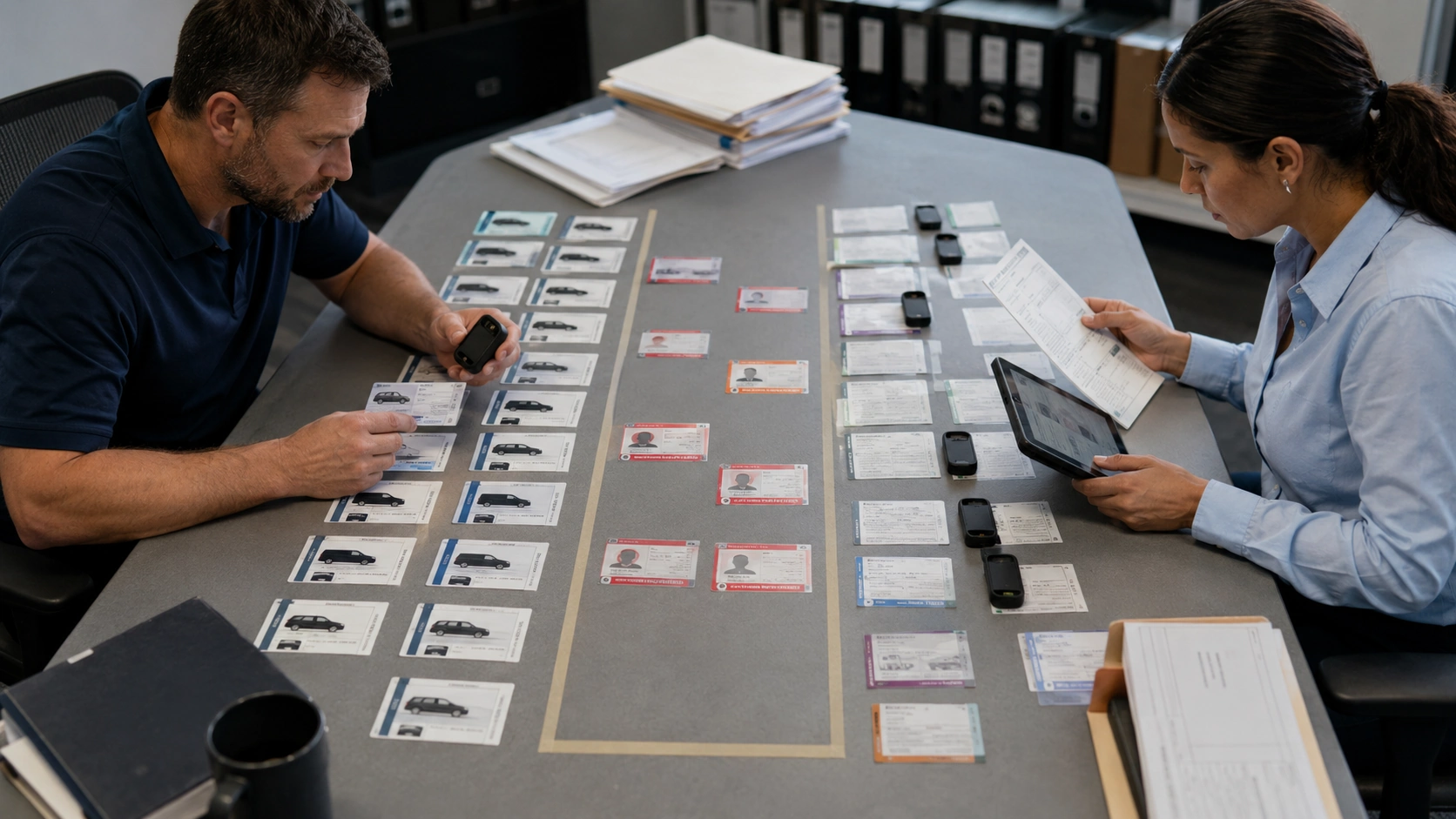
Export active asset lists from both systems and compare VIN, unit number, license plate, device ID, asset status, and assigned location. Use official registration or installation records to resolve disagreements rather than relying on familiar vehicle names.
Readers who need the deeper structural relationships among these fields can review fleet data model basics for vehicles, drivers, and GPS. The readiness audit itself should remain focused on finding and resolving exceptions.
VIN, Unit Number, and Device ID Mismatches That Break Sync
The audit should include these diagnostic checks:
- Normalize capitalization and remove unintended spaces.
- Confirm that every active device belongs to one active asset.
- Flag duplicate VINs and reused unit numbers.
- Compare retired asset lists with active device records.
- Verify unresolved records against registration or installation evidence.
Suppose 15 of 250 active assets do not match. The mismatch rate equals 15 divided by 250, or 6 percent, leaving a 94 percent match rate. Proceeding could create 15 duplicate or incorrectly paired assets.
The team should pause, correct each high risk exception, and repeat the comparison. It should not treat the percentage alone as approval because even a single unresolved device attached to the wrong safety critical vehicle can distort decisions.
For fleets importing location or meter information, compare the device inventory with the asset assignments used for GPS tracking and telematics. A powered device does not prove that it belongs to the vehicle shown in the receiving platform.
Confirming Driver to Vehicle Assignment Data Is Sync Ready
Review active employees, license status, home location, assigned vehicle, temporary vehicle use, and employment status. Remove orphaned assignments, expired credentials, duplicate profiles, and links to sold or retired units.
Next, determine how dispatchers record temporary assignments. If one system stores a permanent assigned driver while another records the person currently operating the vehicle, document which value should transfer and when.
Complete the profile review alongside fleet user and driver management permissions. Drivers should have only the access required to submit records or view assigned assets, while former employees and shared accounts should not remain active.
A Step by Step Pre Sync Readiness Workflow
Complete this workflow during the one to four weeks before enabling the connection:
- Freeze source records. Choose a short control period and require teams to report every necessary identifier change.
- Run the identifier audit. Compare active VINs, unit numbers, device IDs, status fields, and locations.
- Reconcile driver assignments. Remove stale profiles and verify current links between drivers and vehicles.
- Log manual baseline readings. Record dated mileage and engine hours for every pilot asset, then retain the evidence in a vehicle document management system.
- Define the source of truth. Assign one controlling system for vehicle identity, driver identity, meter readings, asset status, and access.
- Run a small pilot. Select 10 to 20 assets representing different vehicle types, locations, and operating patterns.
- Validate before expanding. Compare imported values with the baselines and approve the full sync only after resolving every significant exception.
For example, a 15 vehicle pilot produces 45 primary checks when the team validates identity, device pairing, and baseline mileage for each unit. If one check remains unresolved, 44 of 45 checks pass, or 97.8 percent. The team should investigate the exception instead of rounding the result upward.

Who Should Own the Readiness Audit
Assign one audit owner who can collect records, maintain the exception log, and stop the connection when requirements are not met. A fleet manager or implementation lead usually fits this role because the audit affects both data quality and maintenance work.
IT should verify access and transfer conditions. Operations should confirm active vehicles and driver assignments. Maintenance should validate meter readings, asset status, and recent records. All three groups should complete one documented sign off checkpoint.
This structure follows the same accountability principle as assigning ownership for fleet management decisions. Several people can supply evidence, but one person must own the final readiness decision.
What Happens After You Pass the Readiness Check
Passing the readiness audit confirms that the fleet has accurate identifiers, verified assignments, dependable baseline readings, and clear ownership of its core records. The team can now begin configuring the connection using the approved data set instead of trying to correct foundational problems during implementation.
Before enabling the connection, preserve the final audit results and exception log. These records give the team a reference point for checking whether unexpected values existed before configuration or appeared after data started moving between systems.
The next phase should begin with a limited group of representative vehicles. Compare the first imported records with the approved baselines, correct any mapping problems, and expand only when the results remain consistent. Fleets planning this transition can review how integrated fleet management software connects fleet operations without repeating the readiness checks covered here.
Frequently Asked Questions
-
What does integration readiness mean for a fleet?
Integration readiness means a fleet has accurate identifiers, verified assignments, dependable baseline readings, controlled user access, and a defined source of truth before connecting a new data source. -
How long should a fleet spend on data readiness before syncing telematics?
A fleet should generally allow one to four weeks for the readiness audit. Fleet size, number of locations, record quality, and unresolved exceptions determine the exact duration. -
What is the most common reason fleet data syncs fail?
The most common operational cause is inconsistent source data. Mismatched VINs, reused unit numbers, duplicate devices, and stale assignments prevent incoming records from matching the intended vehicle or driver. -
Who should be responsible for the pre sync data audit?
One fleet manager or implementation lead should own the audit. IT, operations, and maintenance should validate their respective areas and complete a shared sign off before the connection begins. -
What happens if a fleet skips the readiness check and syncs anyway?
The fleet may create duplicate assets, false maintenance triggers, incorrect readings, stale access, and records tied to the wrong vehicles. Correcting these problems after launch usually takes more effort than resolving them before the connection.